Backuply
Backuply: Your Ultimate Backup Solution for WordPress
Backuply is a powerful WordPress plugin designed to simplify the backup, restore, migration, and cloning processes for your website. With over 700,000 active installs, it has become a trusted tool for website owners looking to safeguard their data and manage their WordPress sites efficiently. Whether you are a small business, a blogger, or a developer, Backuply offers a user-friendly interface that allows you to create backups with just a few clicks, ensuring that your website is always secure and recoverable.
This plugin stands out with its wide range of storage options, including local backups, FTP, and popular cloud services like AWS. Backuply not only provides peace of mind through reliable backups but also facilitates seamless migrations and restorations, making it an invaluable resource for anyone looking to manage their WordPress site effectively. With its robust features and ease of use, Backuply is a must-have tool for anyone serious about WordPress security and maintenance.
Key Features of Backuply
- Comprehensive Backup Options: Create backups of your entire site, including files and databases, with various storage options available.
- Easy Restoration: Quickly restore your site from backups with a simple and intuitive interface.
- Seamless Migration: Effortlessly migrate your WordPress site to another server or domain without hassle.
- Cloud Integration: Backup your data directly to cloud storage solutions like AWS, ensuring easy access and security.
- Scheduled Backups: Set up automated backups on a schedule that suits your needs, so you never have to worry about manual backups.
- User-Friendly Dashboard: Manage all your backup, restore, and migration tasks from a single, easy-to-navigate dashboard.
- High Compatibility: Works smoothly with most hosting providers and is compatible with a variety of themes and plugins.
Installation Instructions
To install Backuply, follow these simple steps:
- Log in to your WordPress admin panel.
- Navigate to Plugins → Add New.
- In the search bar, type Backuply – Backup, Restore, Migrate and Clone.
- Click Install Now next to the plugin.
- After installation, click Activate.
Once activated, you will find a new menu item in your admin dashboard, allowing you to access all of Backuply's features.
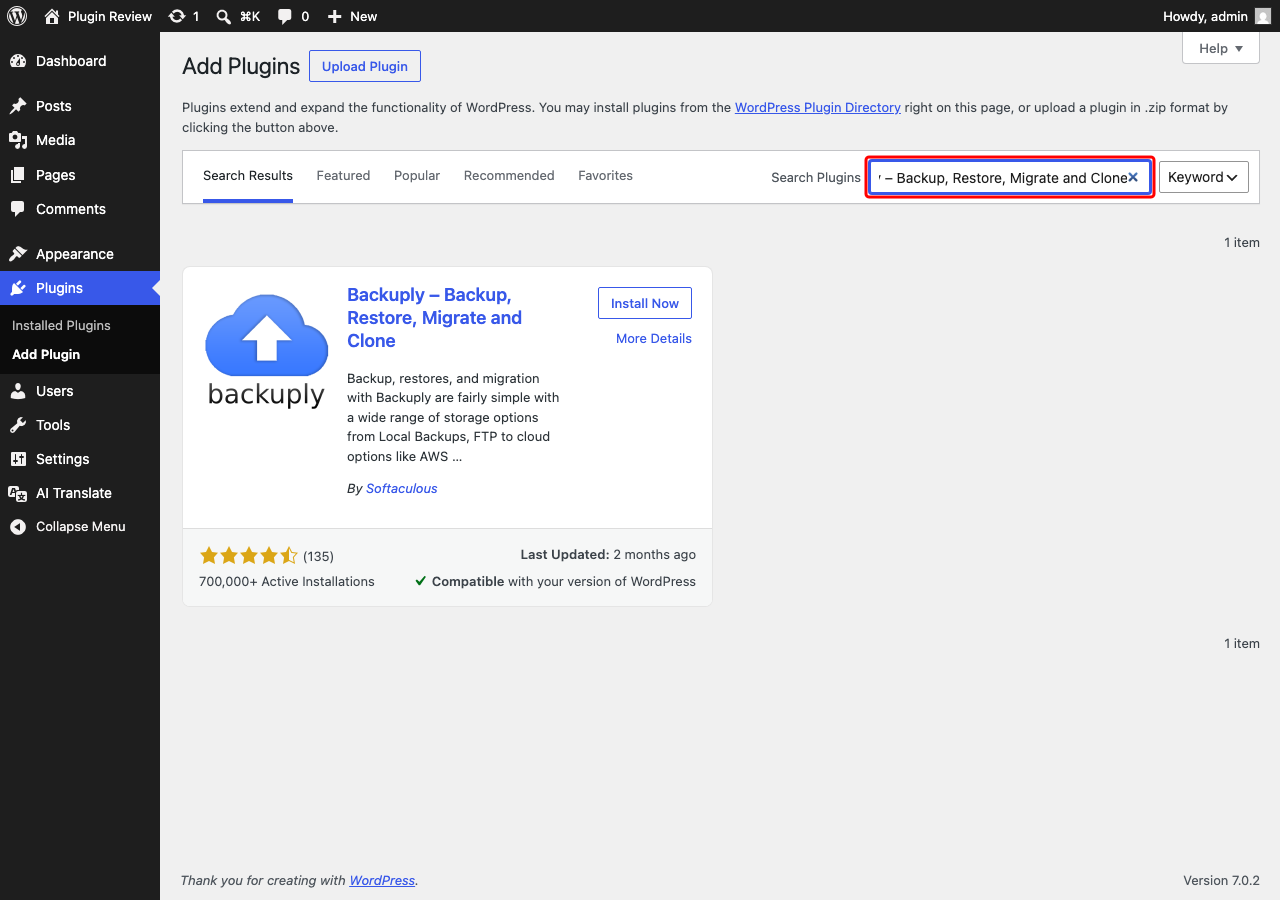
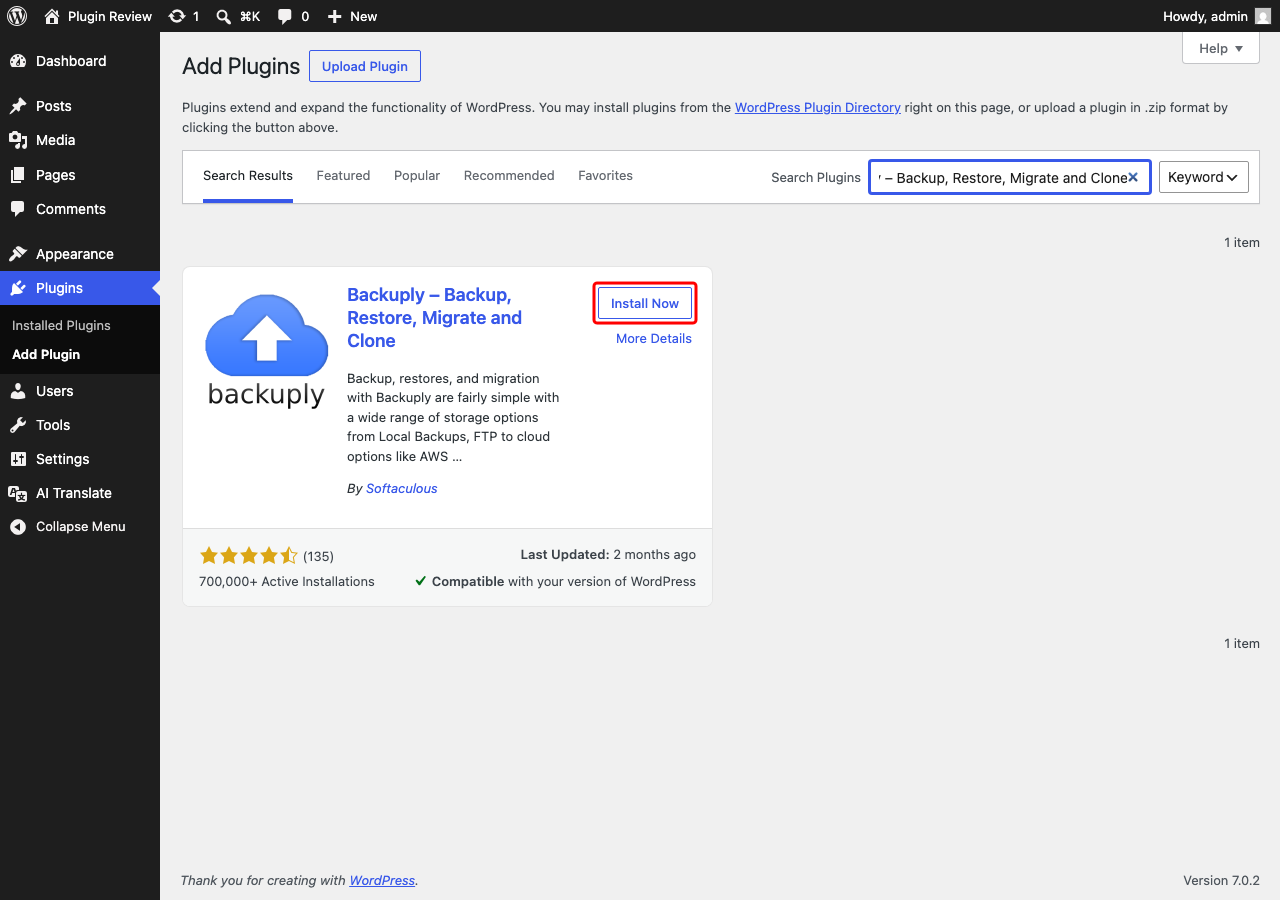
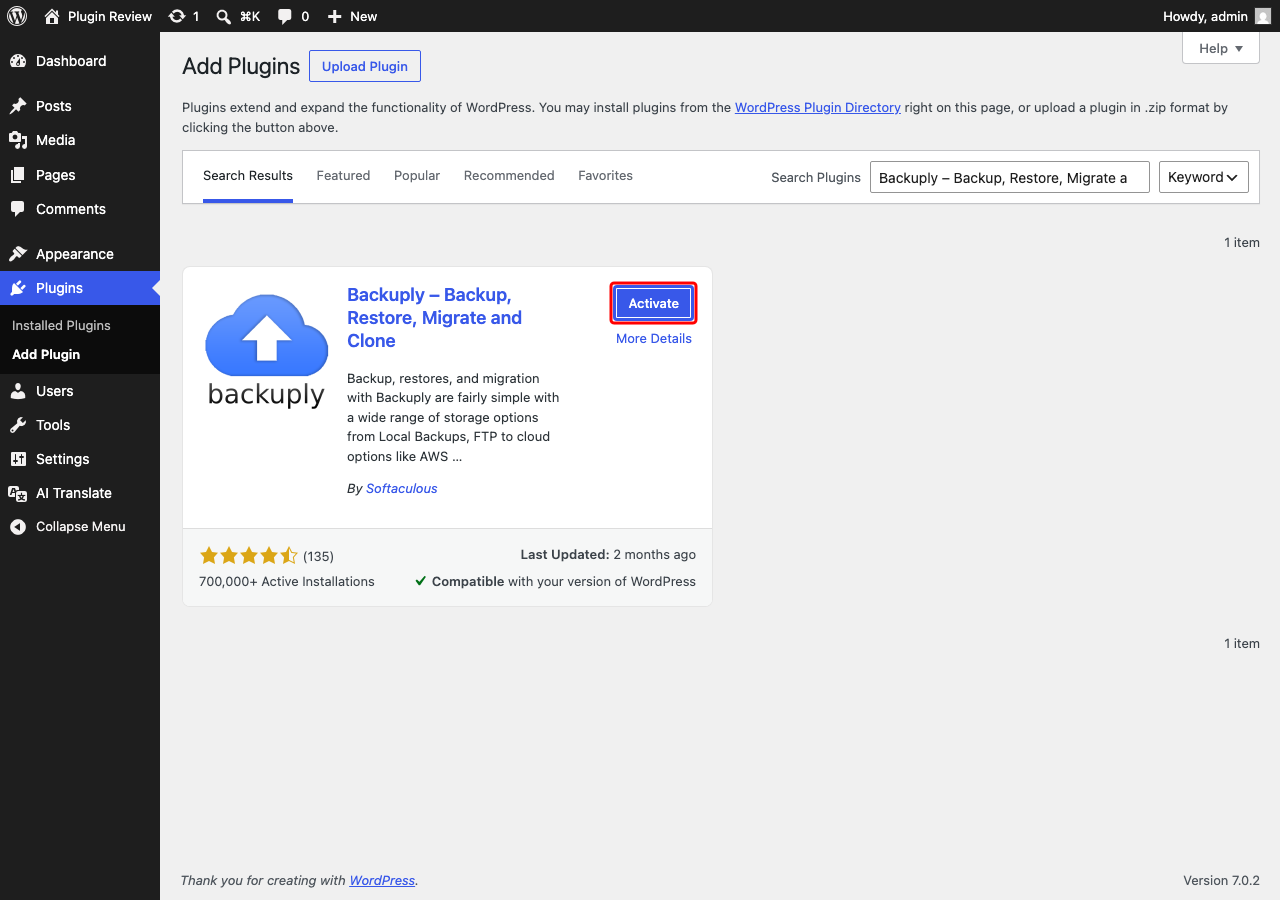
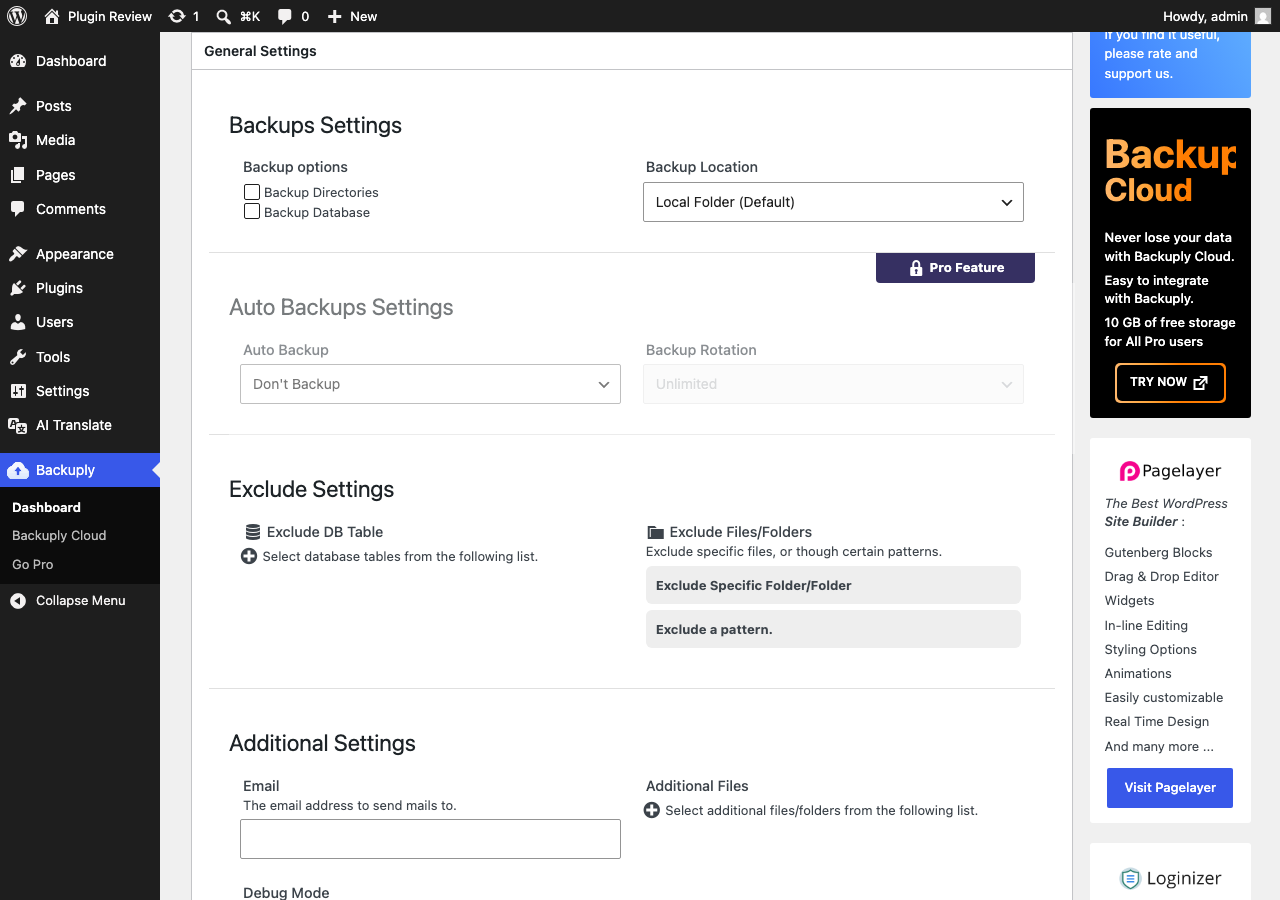
Admin Panel Before Translation
After installing Backuply – Backup, Restore, Migrate and Clone, the admin interface is displayed in English by default.
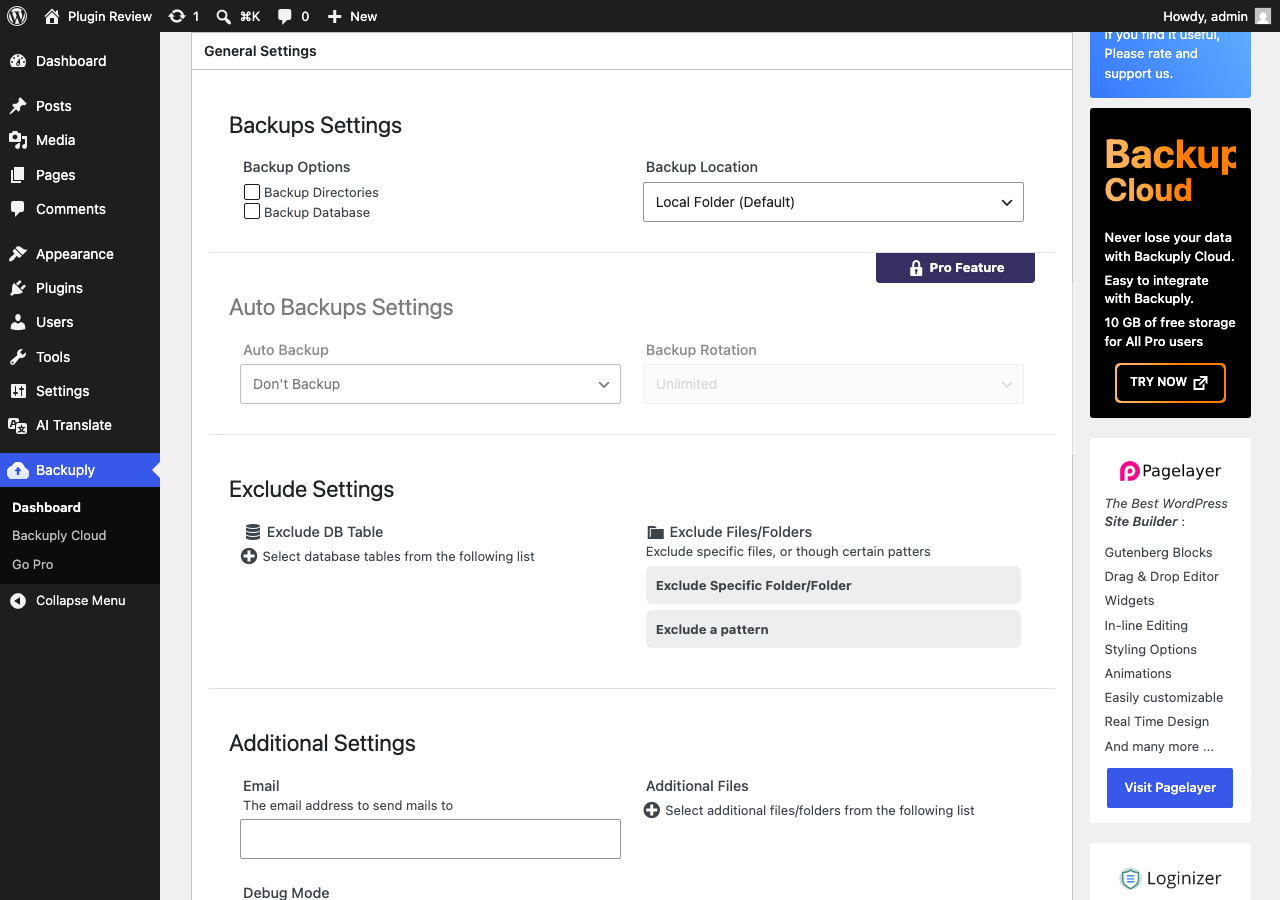
After Translation with Matically AI Translator
With Matically AI Translator, you can translate the Backuply – Backup, Restore, Migrate and Clone admin panel into your language with just one click. All settings and messages will be displayed in your language, making it much easier to navigate.
Translate Now with Matically AI Translator
Translate Backuply into your language with one click. Try one plugin for free.
View Pricing