Translate Any WordPress Plugin Into Your Language
Your favorite plugin doesn't support your language? Matically AI Translator lets you translate it in just a few clicks — no coding required.
The Problem
Many excellent WordPress plugins are only available in English. Waiting for official translations can take months or years — or they may never come. Manual translation requires technical knowledge of PO/MO files and is extremely time-consuming.
The Solution
Matically AI Translator uses advanced AI to translate any WordPress plugin into your language with one click. It understands WordPress-specific terminology, adapts tone for admin panels vs. frontend, and outputs standard PO/MO files that WordPress natively supports.
Installation
- 1 Go to your WordPress admin panel → Plugins → Add New
- 2 Search for "Matically AI Translator"
- 3 Click "Install Now" then "Activate"
How to Use
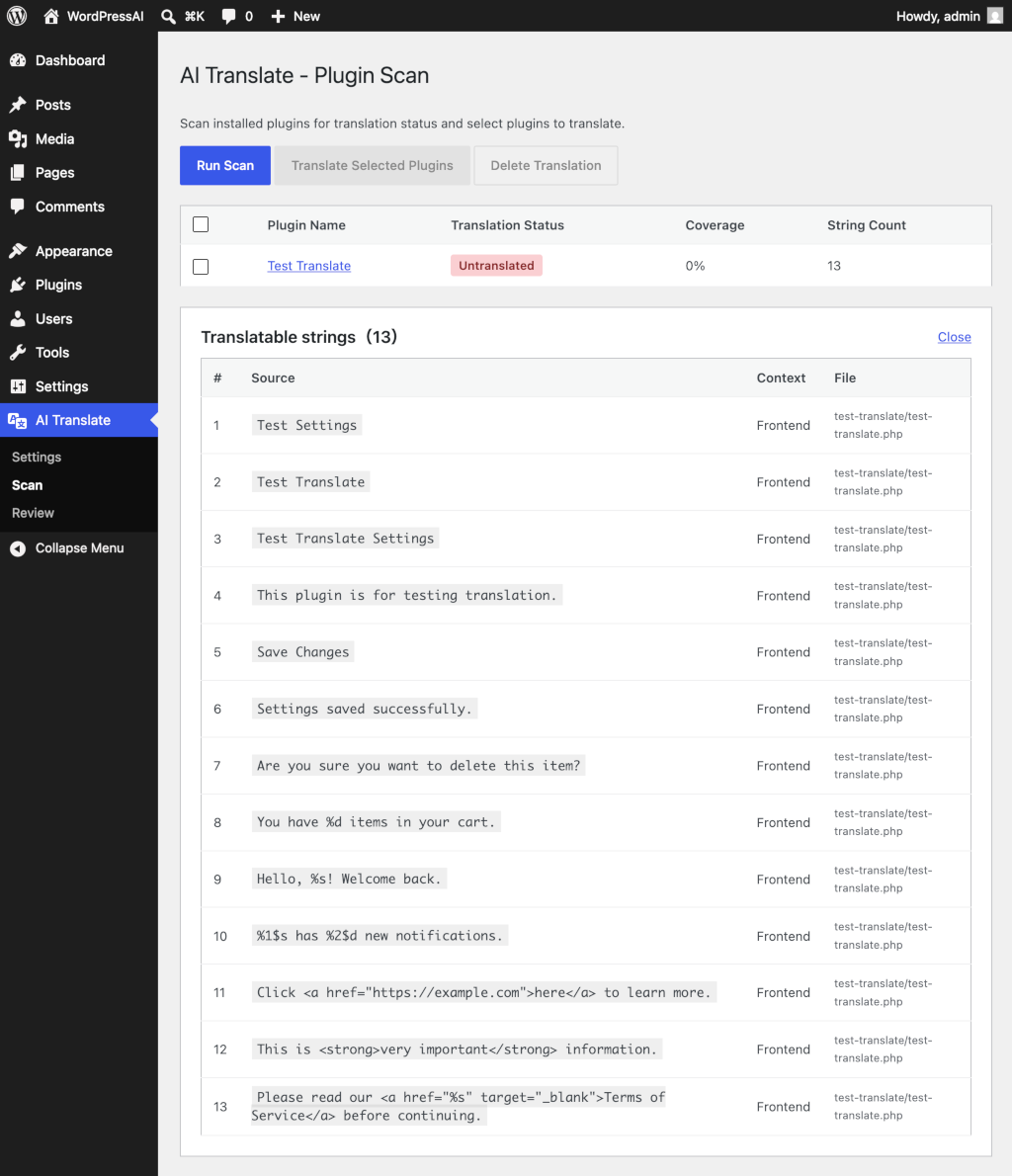
Step 1: Scan Plugins
Go to "AI Translate" → "Scan" in your WordPress admin. Click "Run Scan" to check which plugins need translation.
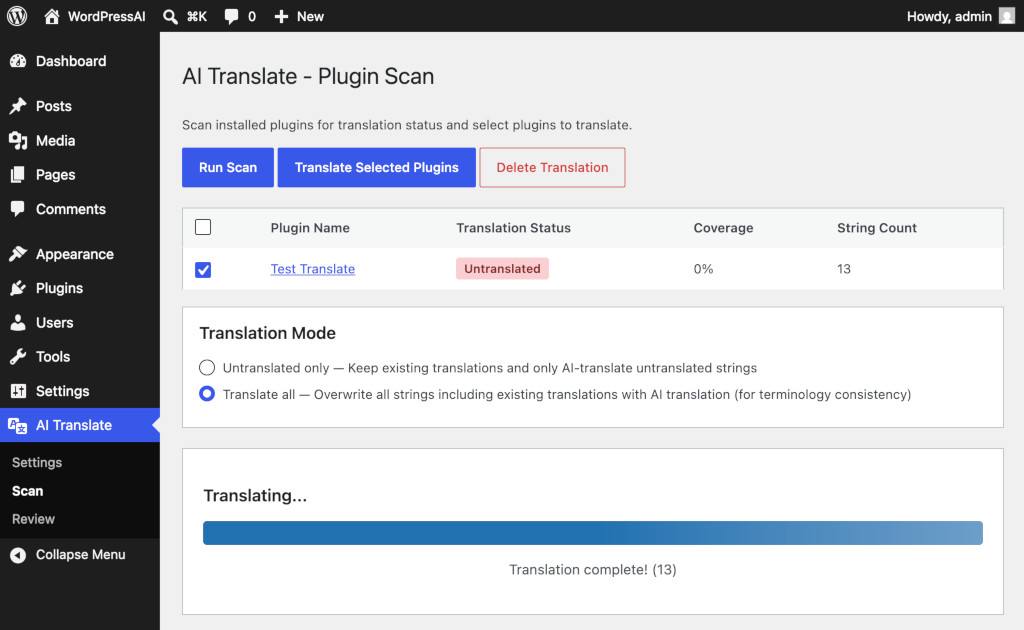
Step 2: Select & Translate
Select the plugins you want to translate and click "Translate Selected Plugins". The AI will start translating immediately.
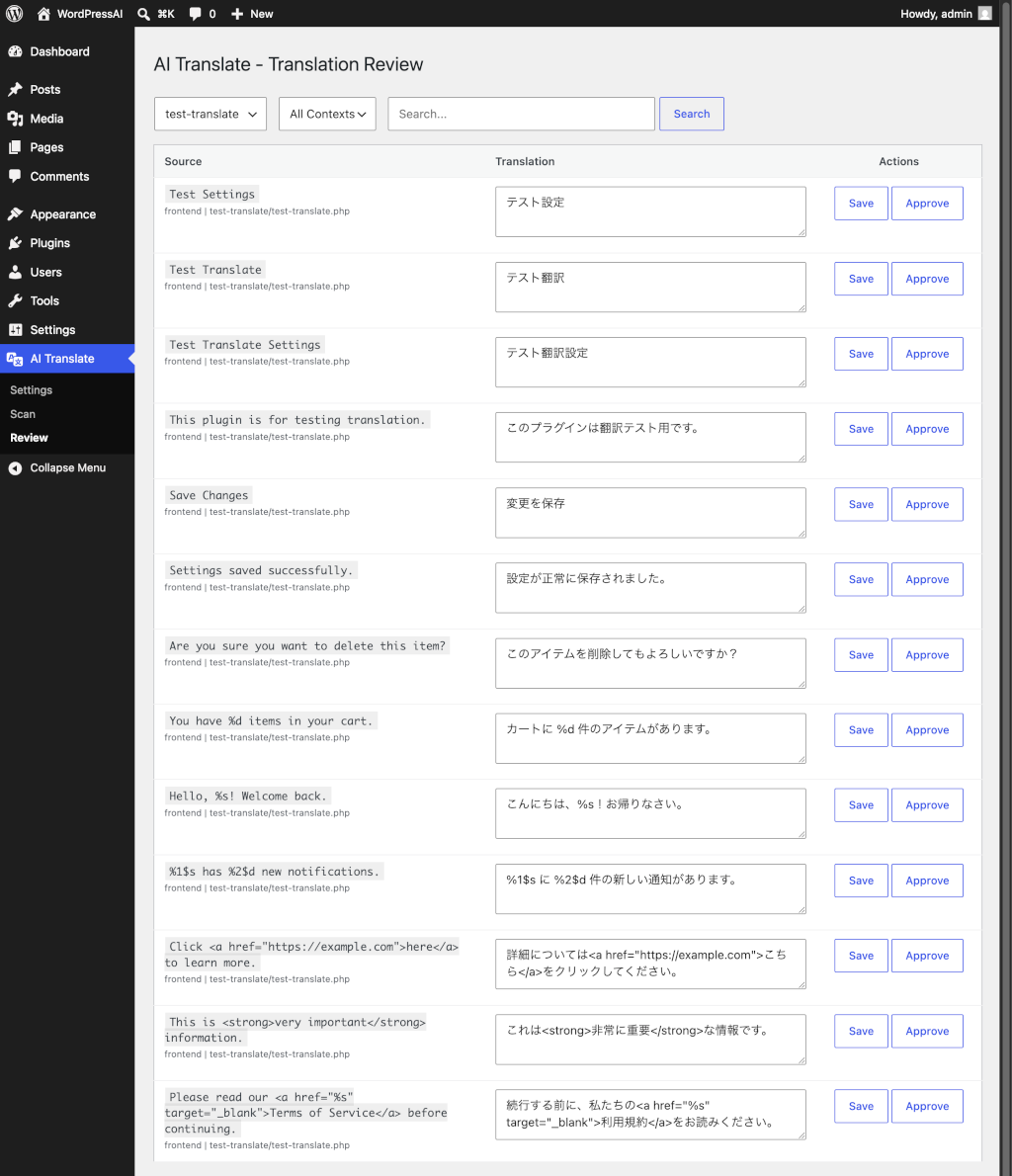
Step 3: Review (Optional)
Review the AI translations and make edits if needed. Approve translations to lock them from future changes.
Key Features
Context-Aware Translation
Automatically detects whether text appears in the admin panel or frontend, and adjusts the tone accordingly.
16+ Languages Supported
Japanese, Spanish, German, French, Chinese, Korean, Indonesian, Italian, Dutch, Russian, Turkish, Arabic, Vietnamese, Thai, and more.
Multiple AI Providers
Use our server (no API key needed), or bring your own key for OpenAI, Anthropic Claude, or Google Gemini.
Standard PO/MO Output
Generates standard WordPress translation files. No proprietary formats — works natively with WordPress.
Translation Examples
See how popular plugins look after AI translation.
File Manager
1,000,000+ installs
Loginizer
1,000,000+ installs
Smush – Image Optimization, Compression, Lazy Load, WebP & CDN
1,000,000+ installs
Backuply
700,000+ installs
Popup Maker
700,000+ installs
Header Footer Code Manager
600,000+ installs
SpeedyCache – Cache, Optimization, Performance
600,000+ installs
SiteSEO – SEO Simplified
500,000+ installs
Ready to Translate?
Get started for free — translate your first plugin with no API key required.
Install from WordPress.org