Loginizer
Secure Your WordPress Site with Loginizer
In an era where online security is paramount, Loginizer stands out as a vital tool for WordPress users looking to safeguard their websites against bruteforce attacks. With over 1,000,000 active installs, this plugin provides a robust defense mechanism that not only enhances security but also ensures peace of mind for website administrators. Designed for both novice and experienced users, Loginizer integrates seamlessly into your WordPress dashboard, making it easy to manage your site's security with minimal effort.
Loginizer offers a suite of features that help protect your login page from malicious attempts. Whether you run a personal blog or a high-traffic e-commerce site, this plugin is tailored to enhance your login security without compromising user experience. Its intuitive interface and powerful functionality make it a must-have for anyone serious about WordPress security.
Key Features of Loginizer
- Bruteforce Protection: Automatically blocks IP addresses that show suspicious behavior.
- Login Attempts Logging: Keep track of all login attempts to monitor potential threats.
- Two-Factor Authentication (2FA): Adds an extra layer of security by requiring an additional verification step during login.
- Passwordless Login: Allows users to log in without a password, using email verification instead.
- Whitelist and Blacklist: Customize your security settings by allowing or blocking specific IP addresses.
- User-Friendly Dashboard: Easily accessible settings for configuring security options directly from your WordPress admin panel.
Installation Instructions
To install Loginizer, follow these simple steps:
- Navigate to your WordPress admin area.
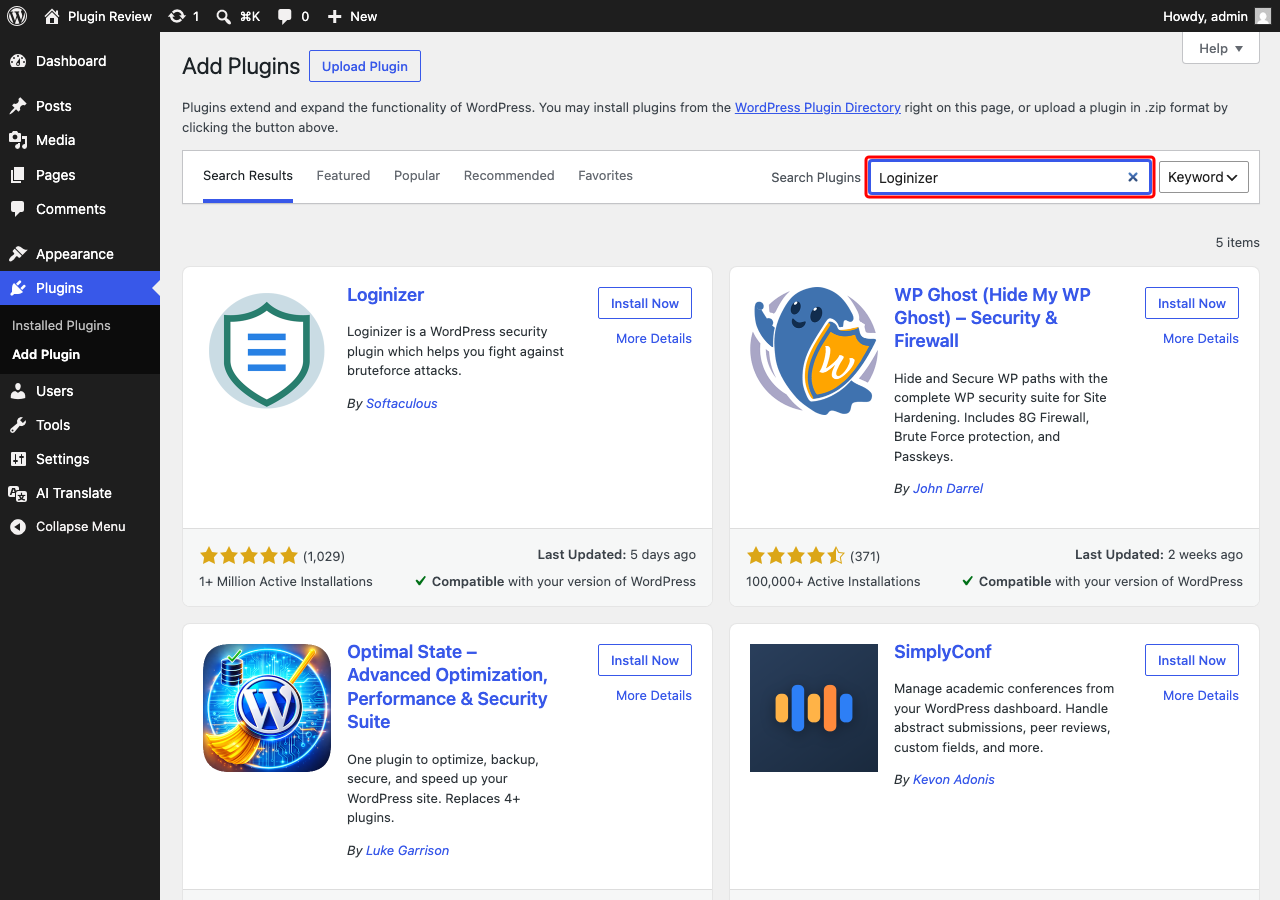
- Go to Plugins → Add New.
- Search for 'Loginizer'.
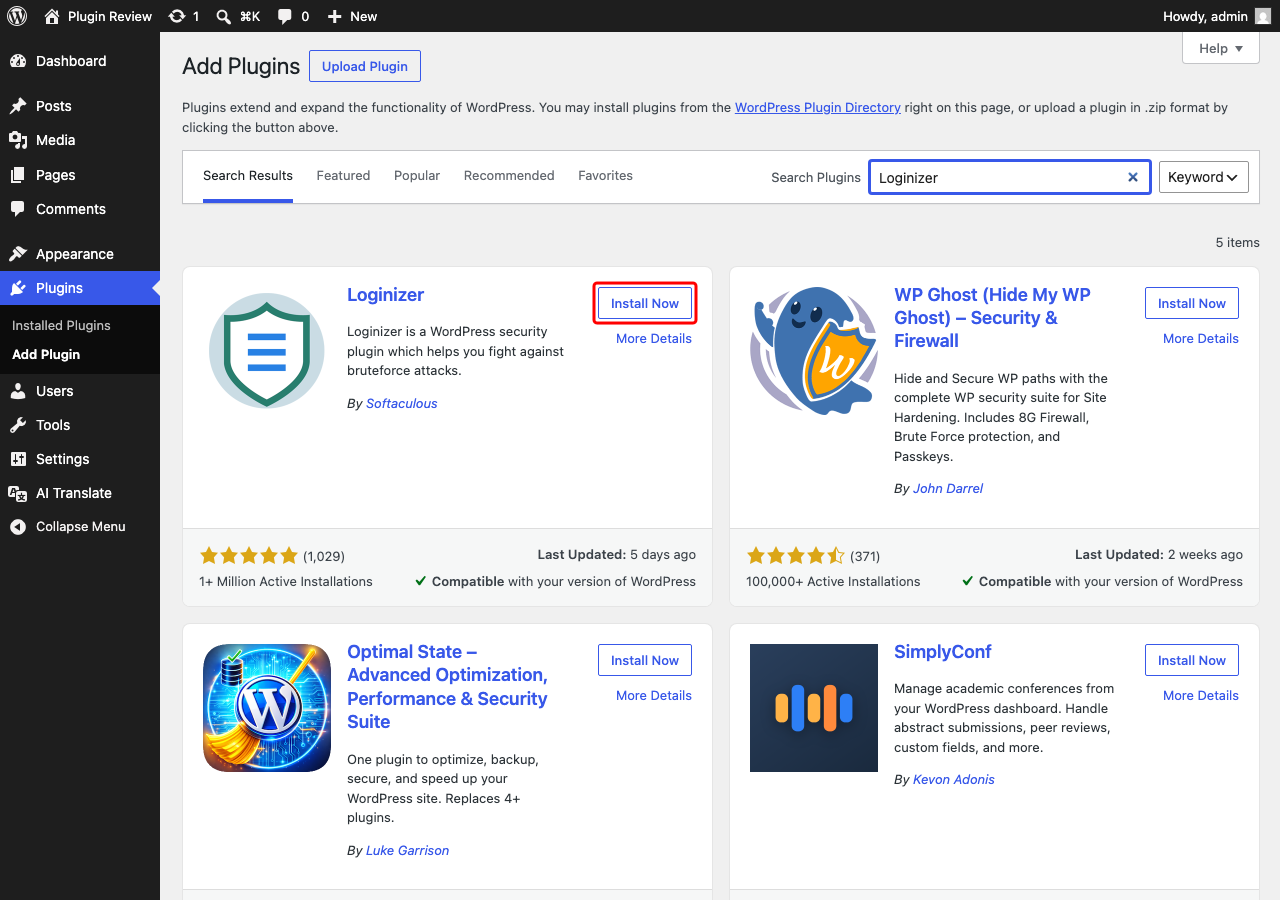
- Click 'Install Now' next to the Loginizer plugin.
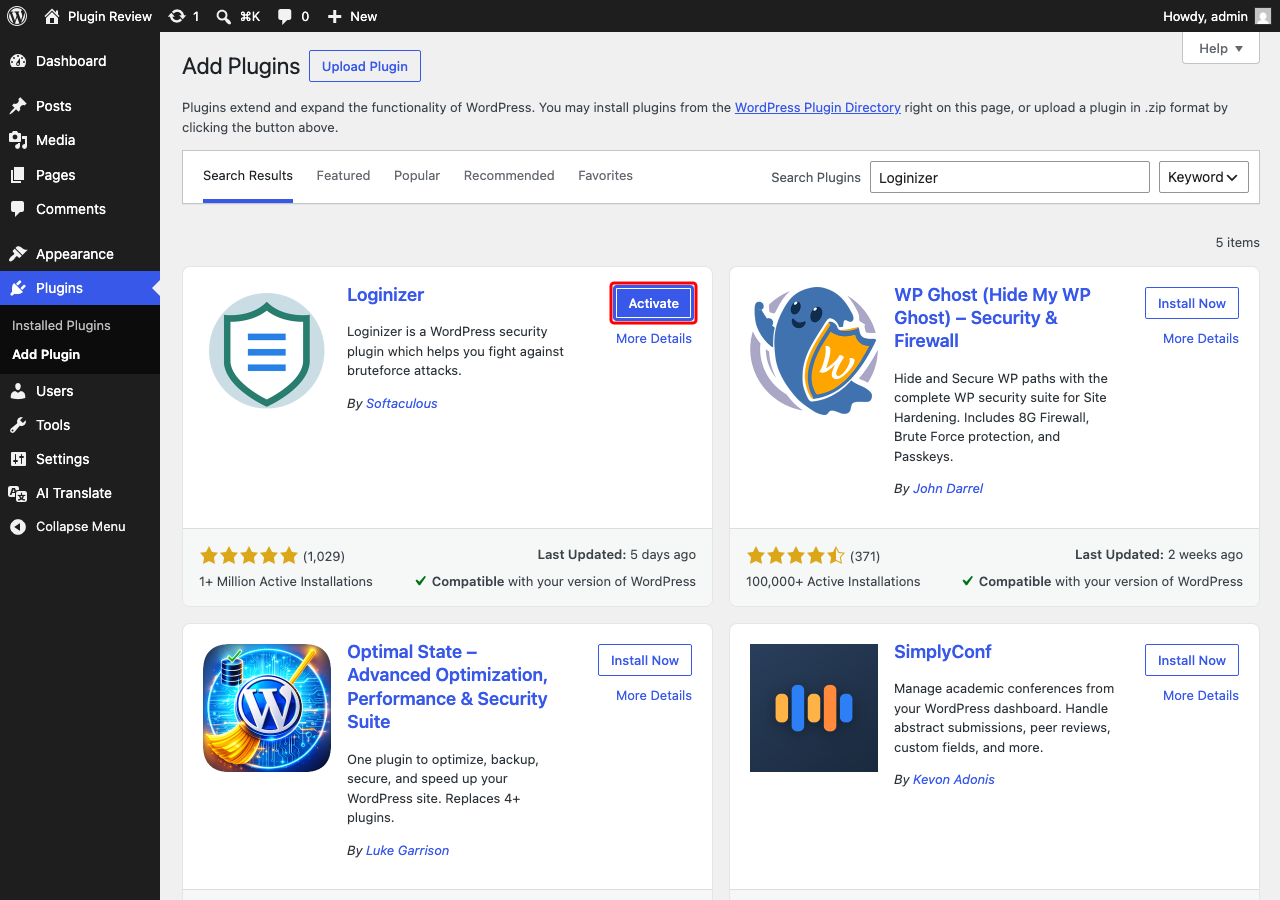
- Once installed, click 'Activate'.
After activation, you will find the Loginizer settings in your admin menu, allowing you to configure your security preferences right away.
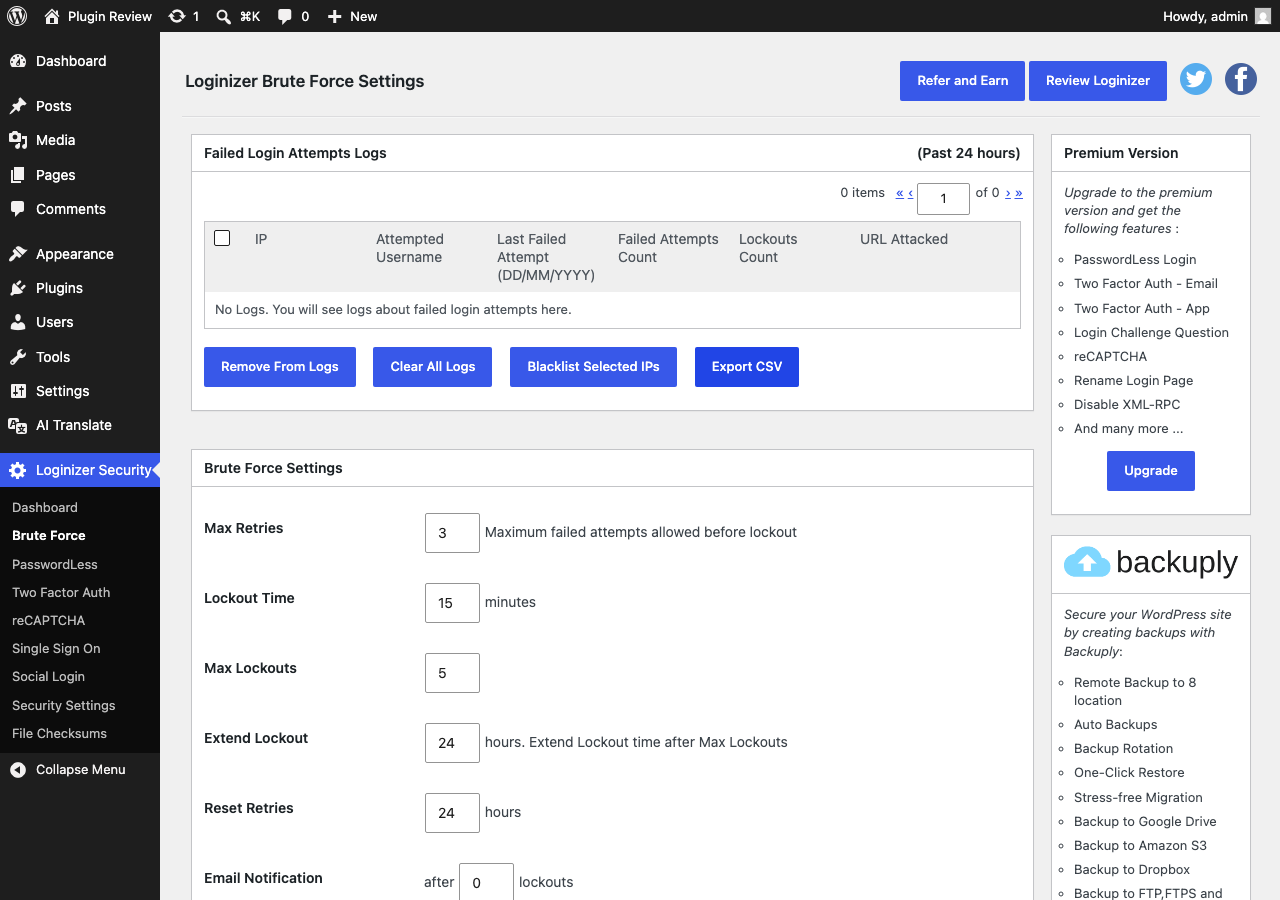
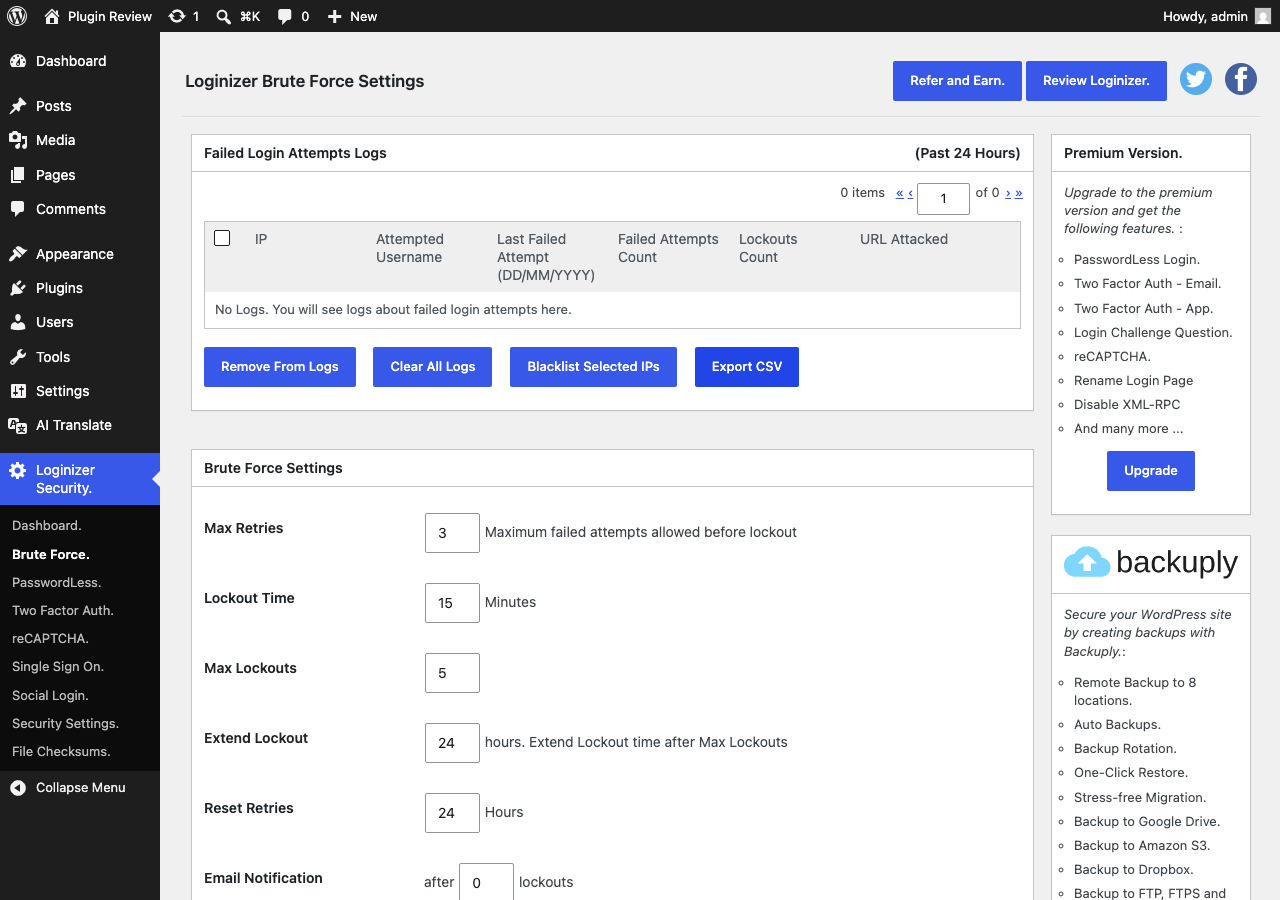
Admin Panel Before Translation
After installing Loginizer, the admin interface is displayed in English by default.
After Translation with Matically AI Translator
With Matically AI Translator, you can translate the Loginizer admin panel into your language with just one click. All settings and messages will be displayed in your language, making it much easier to navigate.
Translate Now with Matically AI Translator
Translate Loginizer into your language with one click. Try one plugin for free.
View Pricing