Popup Maker
Unlock Higher Conversions with Popup Maker
Popup Maker is a powerful WordPress plugin designed to help you elevate your marketing strategies and boost sales through effective popups. With over 700,000 active installs, this plugin has proven its value for businesses and bloggers alike who are looking to improve their conversion rates without the hassle of subscription fees. Whether you're using custom forms, popular page builders, or existing email marketing tools, Popup Maker seamlessly integrates with your setup to create unlimited popups that cater to your audience's needs.
This versatile popup builder not only allows you to craft engaging opt-in forms and promotional messages but also ensures you maintain control over your data. The plugin is particularly beneficial for marketers, e-commerce sites, and anyone aiming to enhance user engagement. With its user-friendly interface and robust features, Popup Maker empowers you to capture leads and increase subscriber counts effortlessly.
Key Features of Popup Maker
- Unlimited Popups: Create as many popups as you need without any limitations on impressions.
- No Subscription Fees: Enjoy all features without the burden of monthly payments.
- Integration Friendly: Works with your favorite form builders and email marketing tools.
- Customizable Designs: Tailor your popups to match your branding for a seamless user experience.
- Advanced Targeting Options: Display popups based on user behavior, location, and more to maximize engagement.
- User-Friendly Interface: Easily create and manage popups with a straightforward drag-and-drop builder.
- Analytics Tracking: Monitor the performance of your popups to optimize for better conversions.
Installation Instructions
To install Popup Maker, follow these steps:
- Go to your WordPress admin dashboard.
- Navigate to Plugins → Add New.
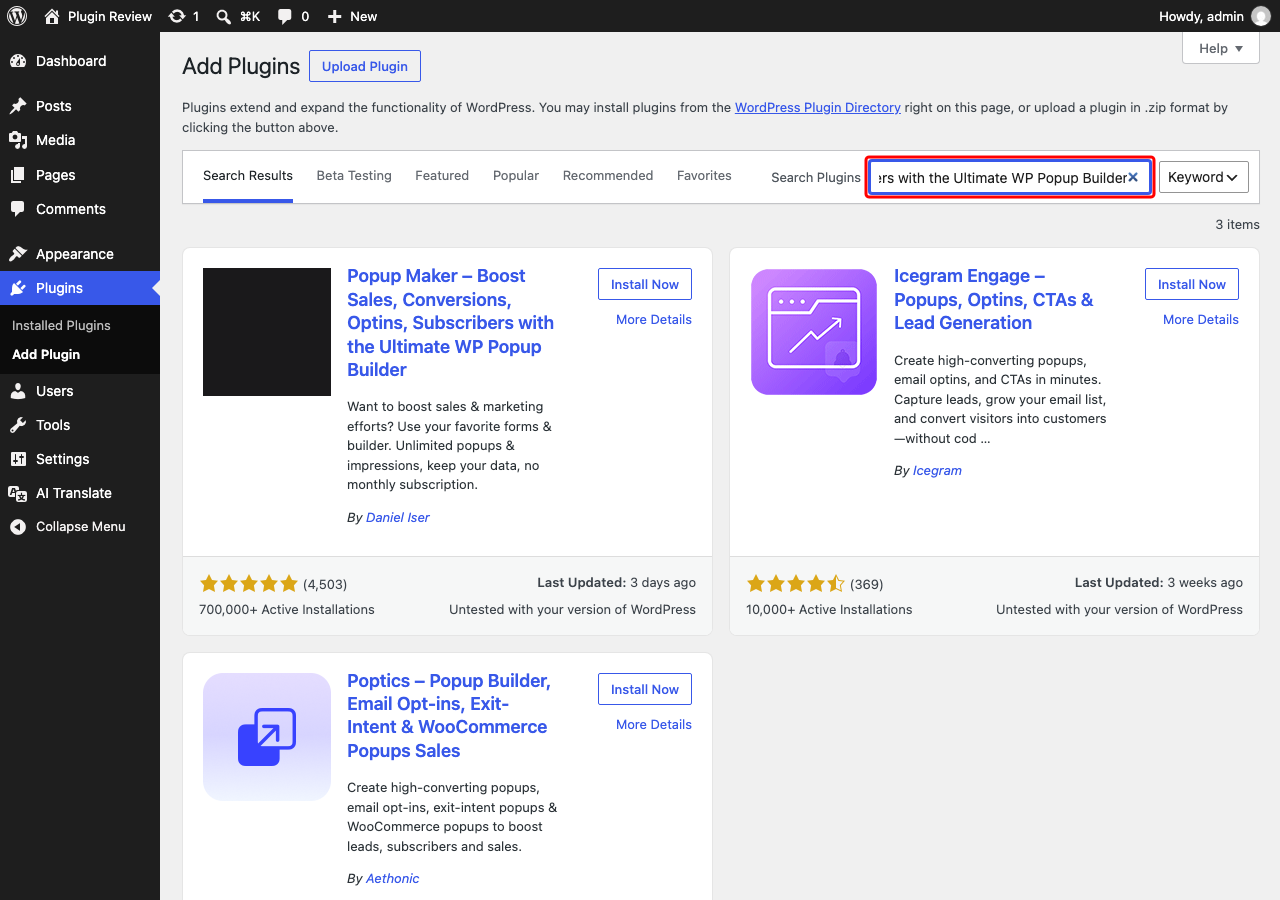
- In the search bar, type "Popup Maker – Boost Sales, Conversions, Optins, Subscribers with the Ultimate WP Popup Builder".
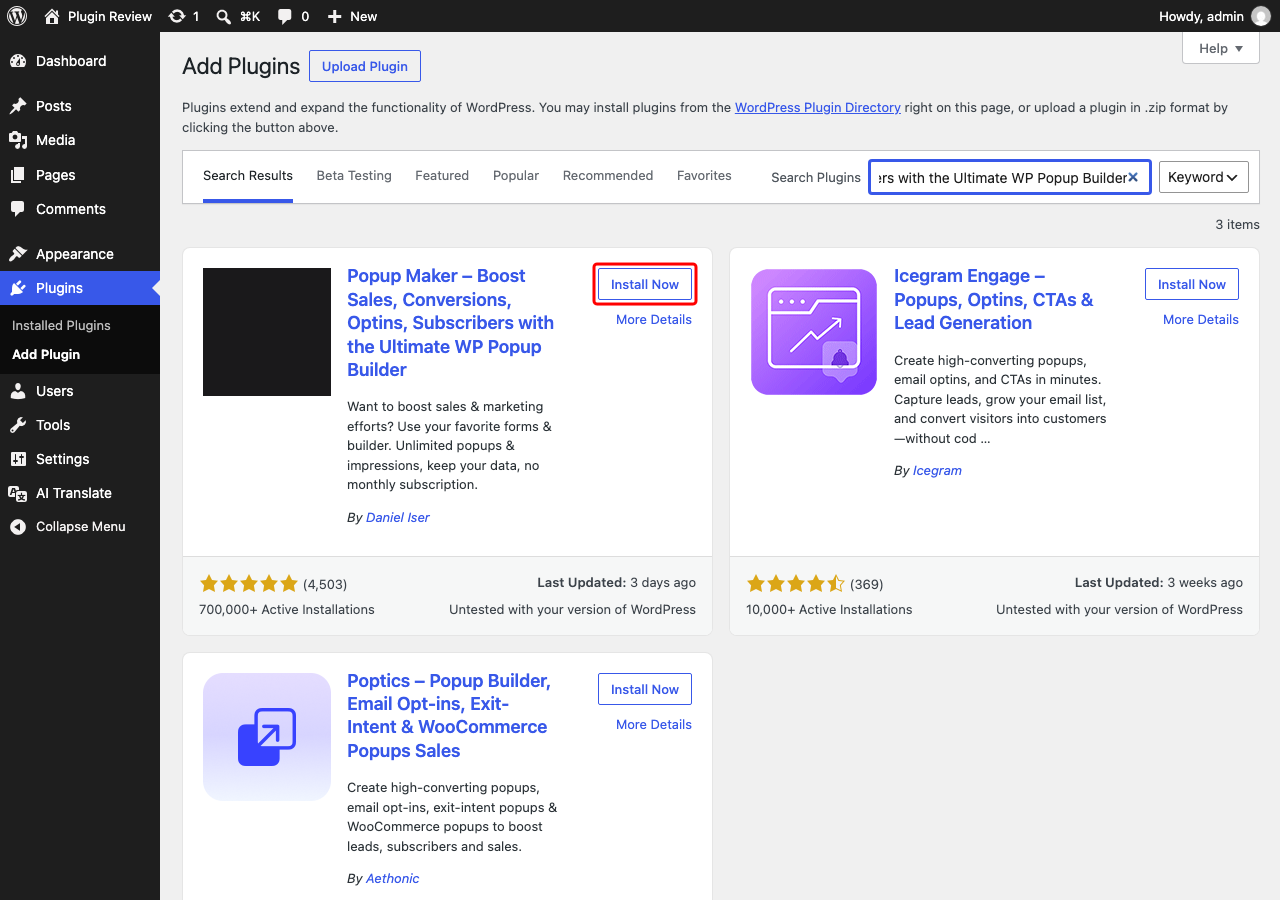
- Click Install next to the plugin.
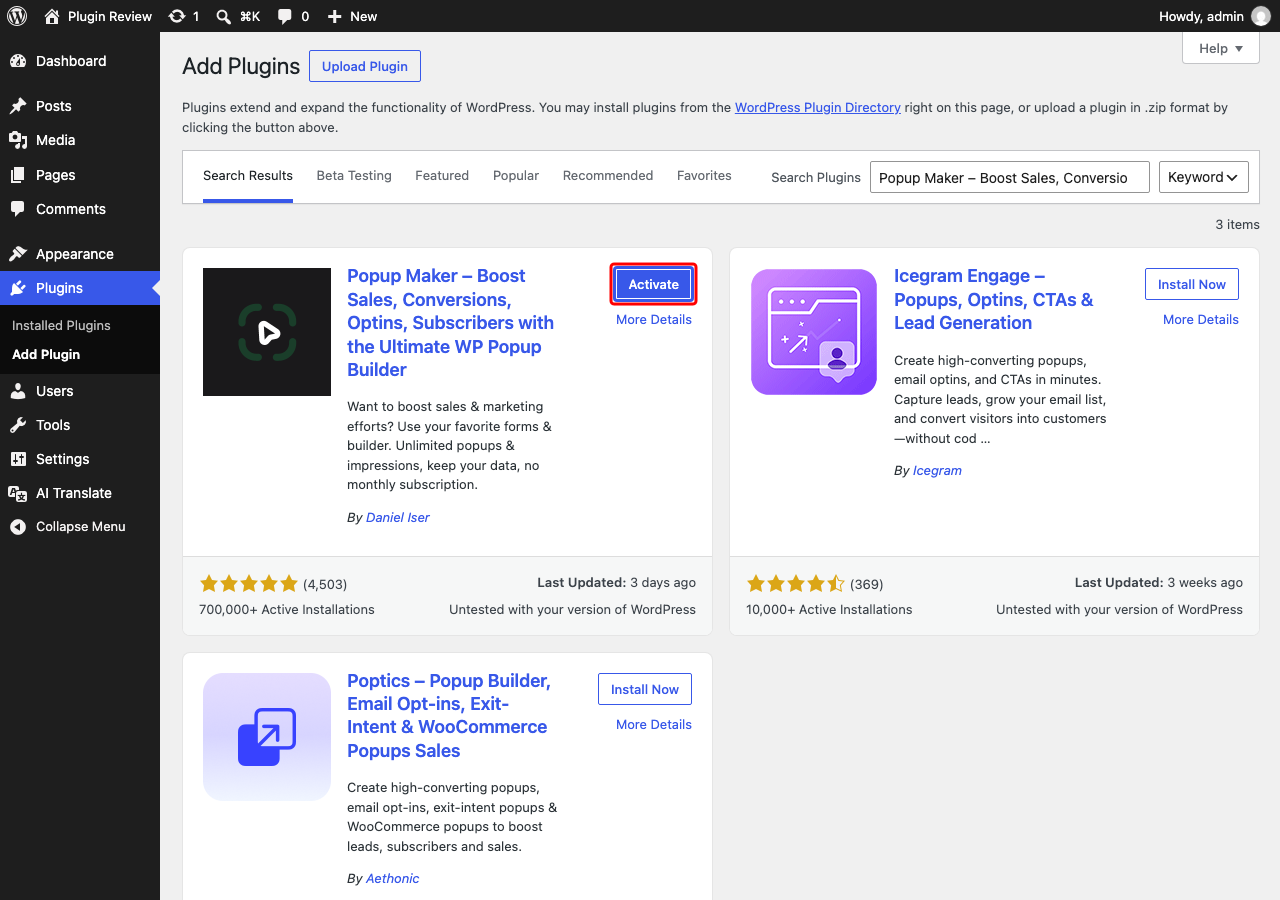
- After installation, click Activate.
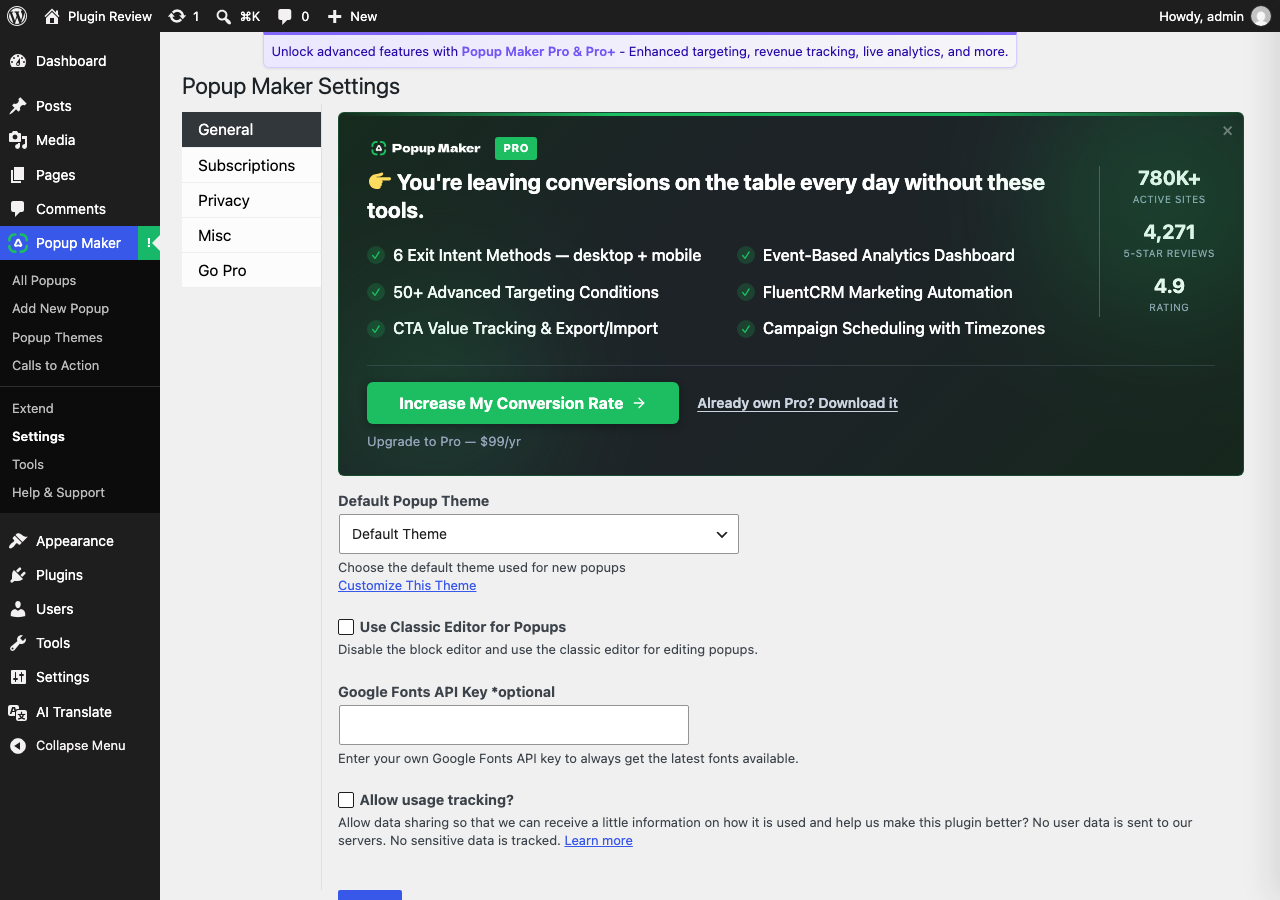
Once activated, you will find a new menu item labeled 'Popup Maker' in your admin panel, where you can start creating your first popup.
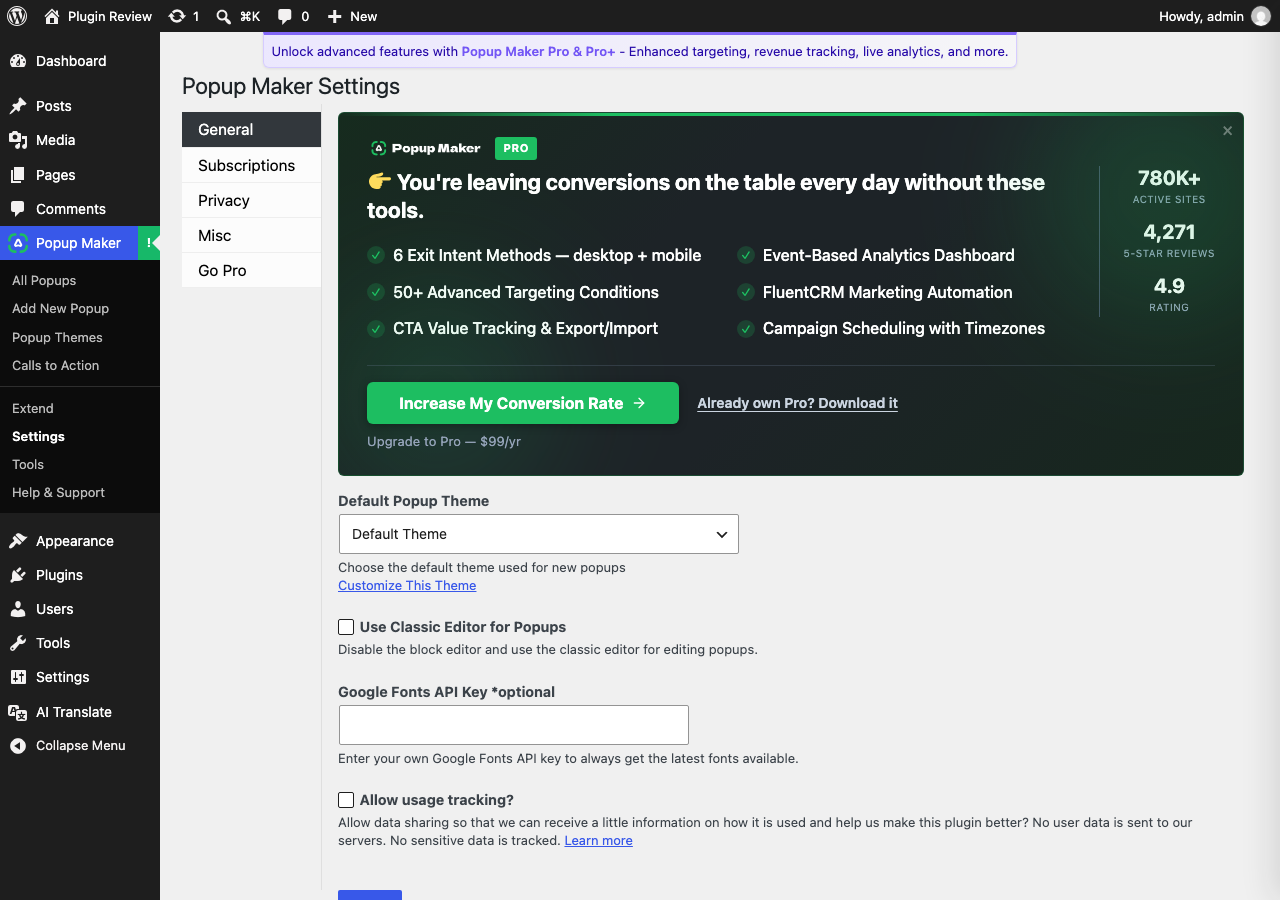
Admin Panel Before Translation
After installing Popup Maker – Boost Sales, Conversions, Optins, Subscribers with the Ultimate WP Popup Builder, the admin interface is displayed in English by default.
After Translation with Matically AI Translator
With Matically AI Translator, you can translate the Popup Maker – Boost Sales, Conversions, Optins, Subscribers with the Ultimate WP Popup Builder admin panel into your language with just one click. All settings and messages will be displayed in your language, making it much easier to navigate.
Translate Now with Matically AI Translator
Translate Popup Maker into your language with one click. Try one plugin for free.
View Pricing