Custom Fonts – Host Your Fonts Locally
Elevate Your Typography with Custom Fonts
With over 400,000 active installs, the Custom Fonts plugin for WordPress is a game-changer for anyone looking to enhance their website’s typography. This powerful tool allows users to seamlessly upload their own custom fonts or choose from an extensive library of Google Fonts, all hosted locally for optimal performance. By utilizing this plugin, designers and website owners can ensure that their chosen fonts are not only visually appealing but also contribute to fast loading times and improved SEO rankings.
The Custom Fonts plugin is ideal for businesses, bloggers, and developers who want to maintain brand consistency and create a unique visual identity online. Whether you're working on a full-site editing project or a simple blog, this plugin streamlines the process of integrating custom typography, giving you the flexibility to express your brand's personality through text. Say goodbye to generic fonts and hello to a tailored design experience that captivates your audience.
Key Features of Custom Fonts
- Upload Custom Fonts: Easily upload your own fonts directly to your WordPress site.
- Google Fonts Integration: Access a vast collection of Google Fonts to enhance your typography options.
- Local Hosting: Host your fonts locally to improve performance and loading speeds.
- Full Site Editing Support: Fully compatible with the latest WordPress full-site editing features.
- User-Friendly Interface: Intuitive settings panel makes it easy for users of all skill levels to manage fonts.
- Performance Boost: Improves website speed and SEO by reducing reliance on external font services.
- Cross-Browser Compatibility: Ensures your fonts display correctly across all browsers and devices.
Installation Instructions
To install the Custom Fonts plugin, follow these steps:
- Navigate to your WordPress admin panel.
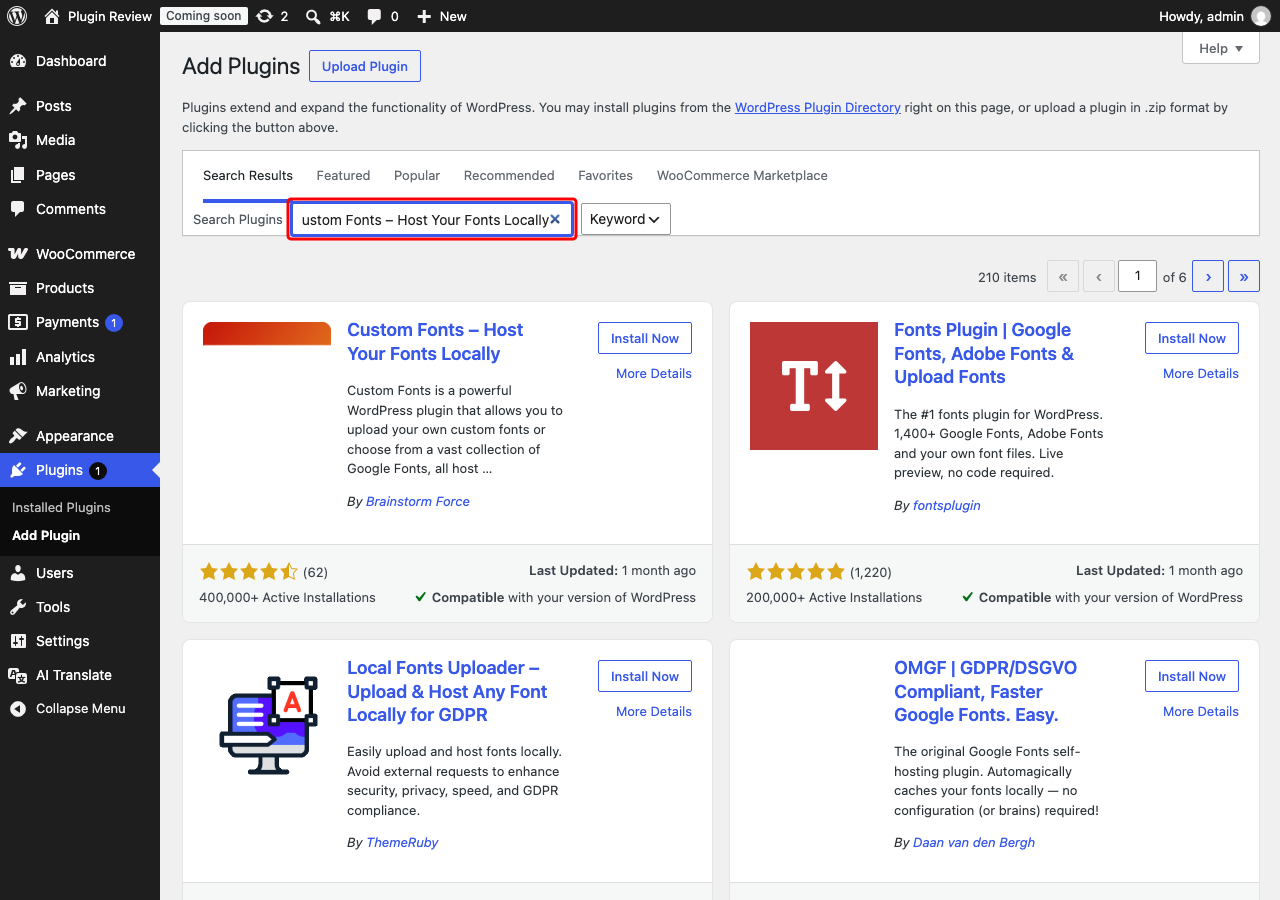
- Go to Plugins → Add New.
- In the search bar, type
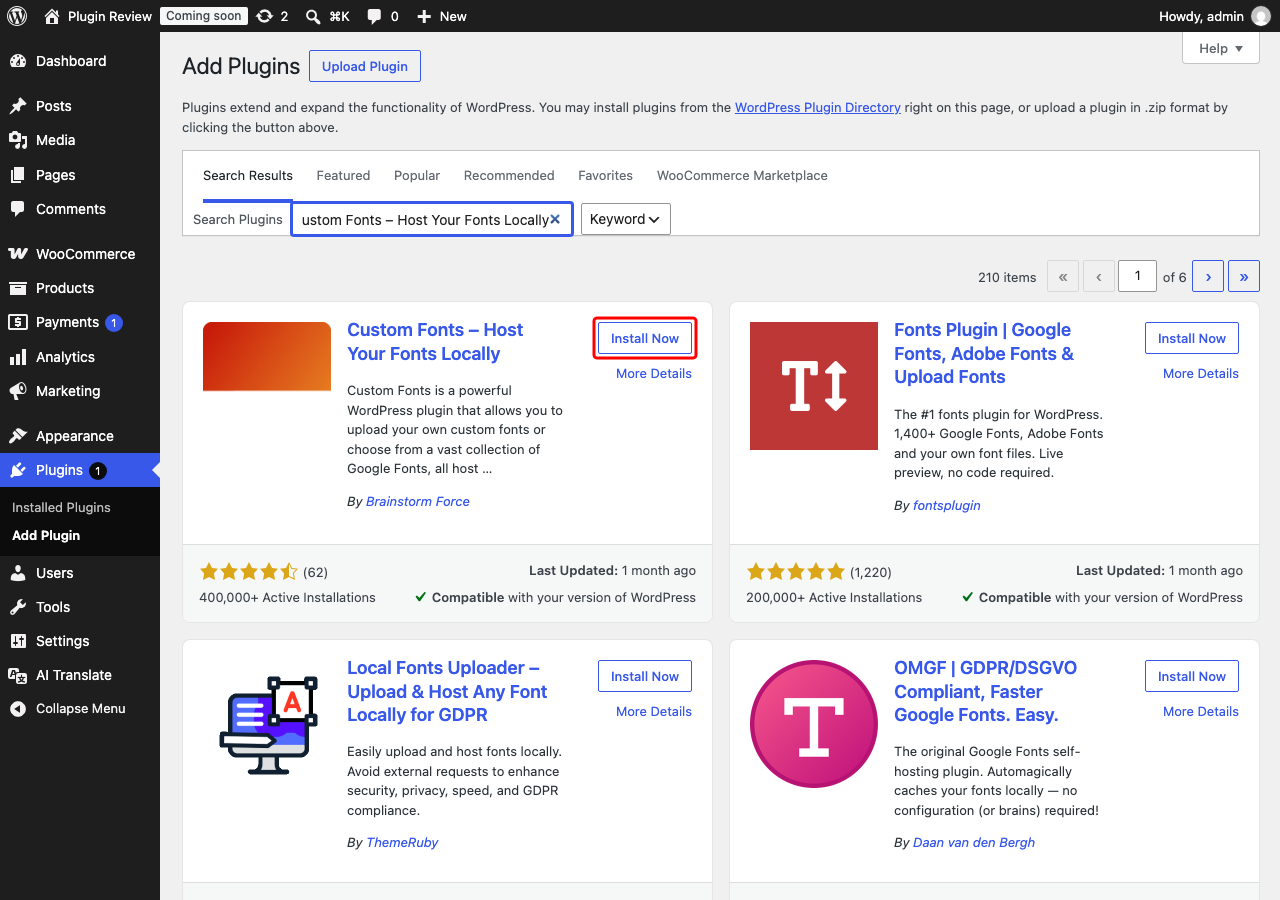
Custom Fonts – Host Your Fonts Locally. - Click Install on the plugin.
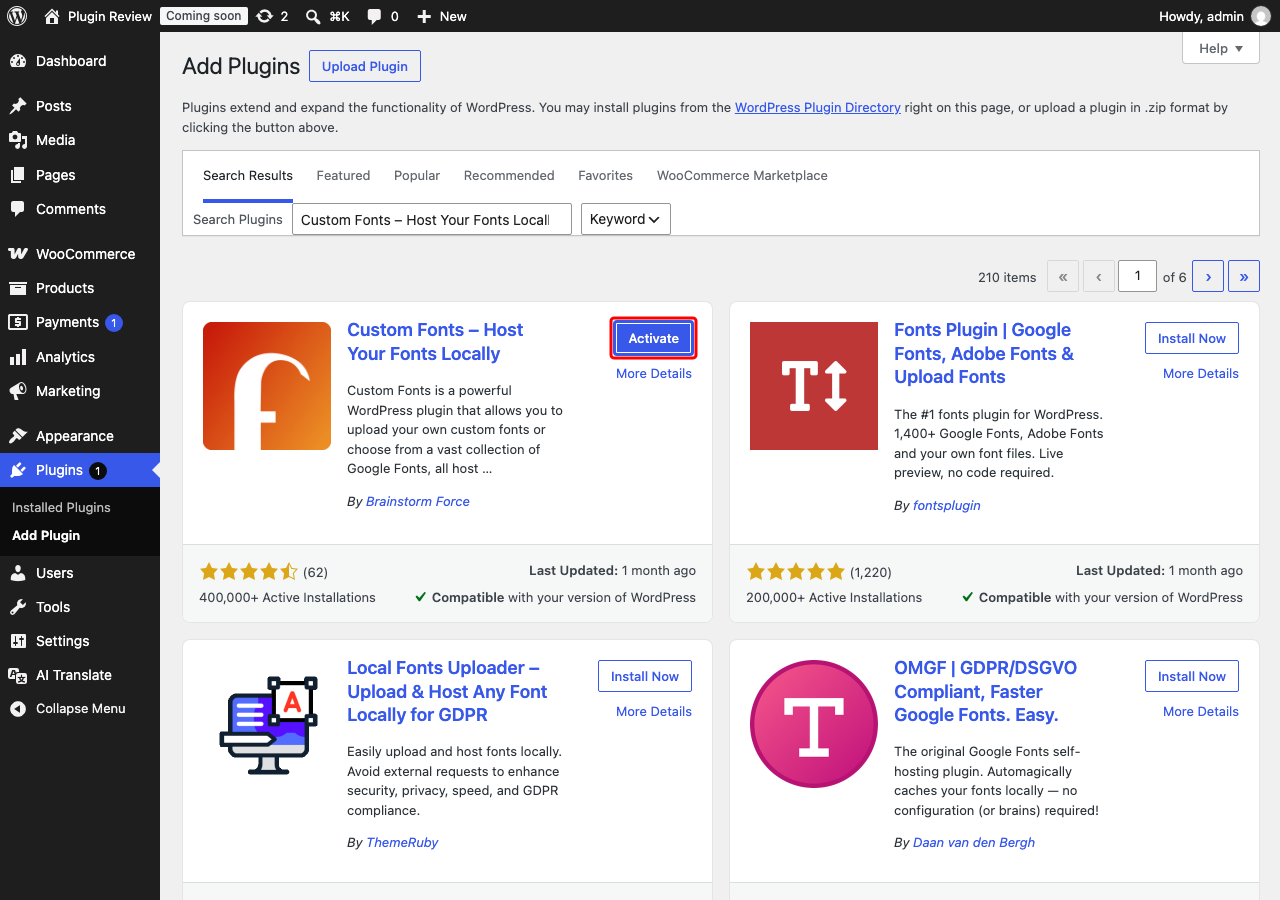
- After installation, click Activate.
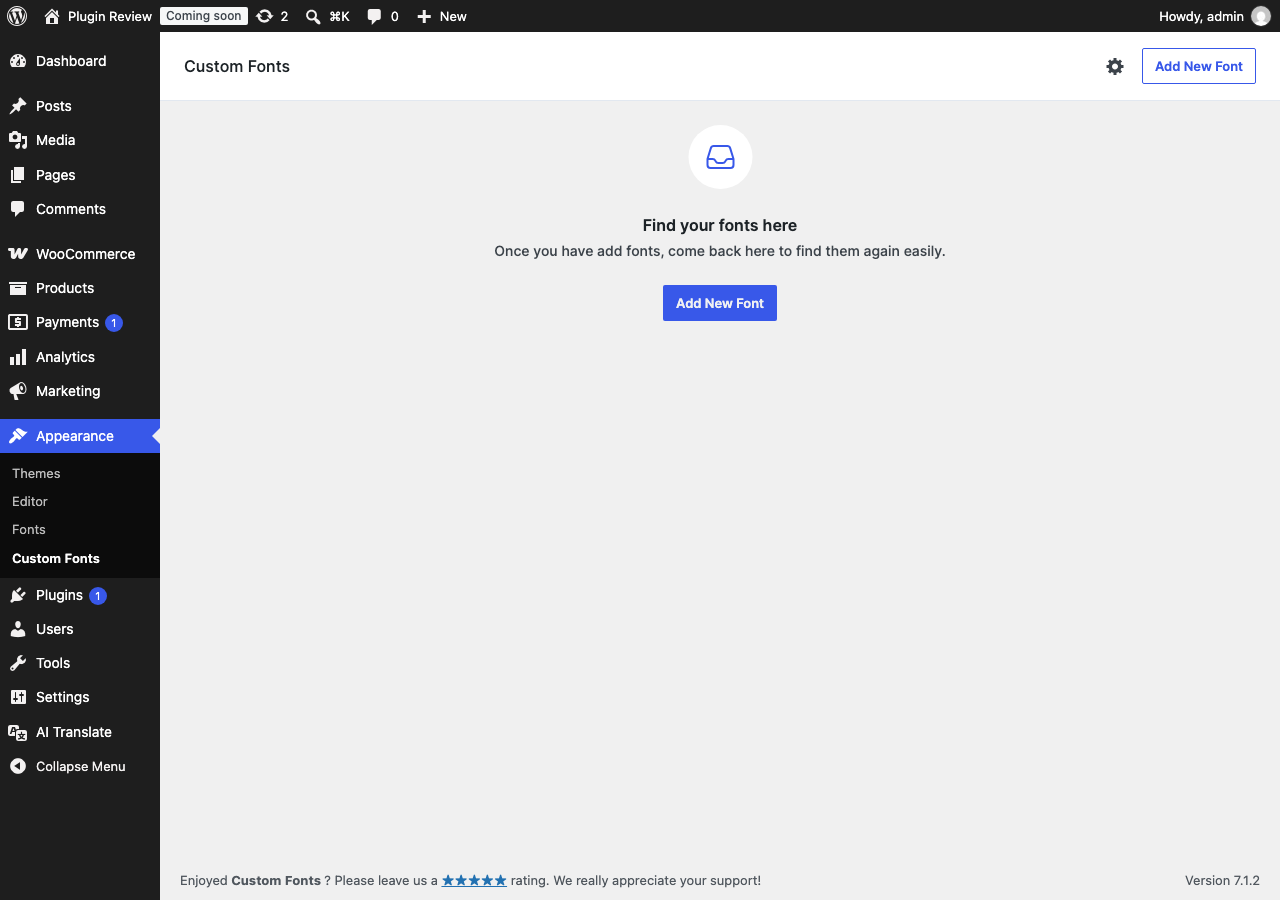
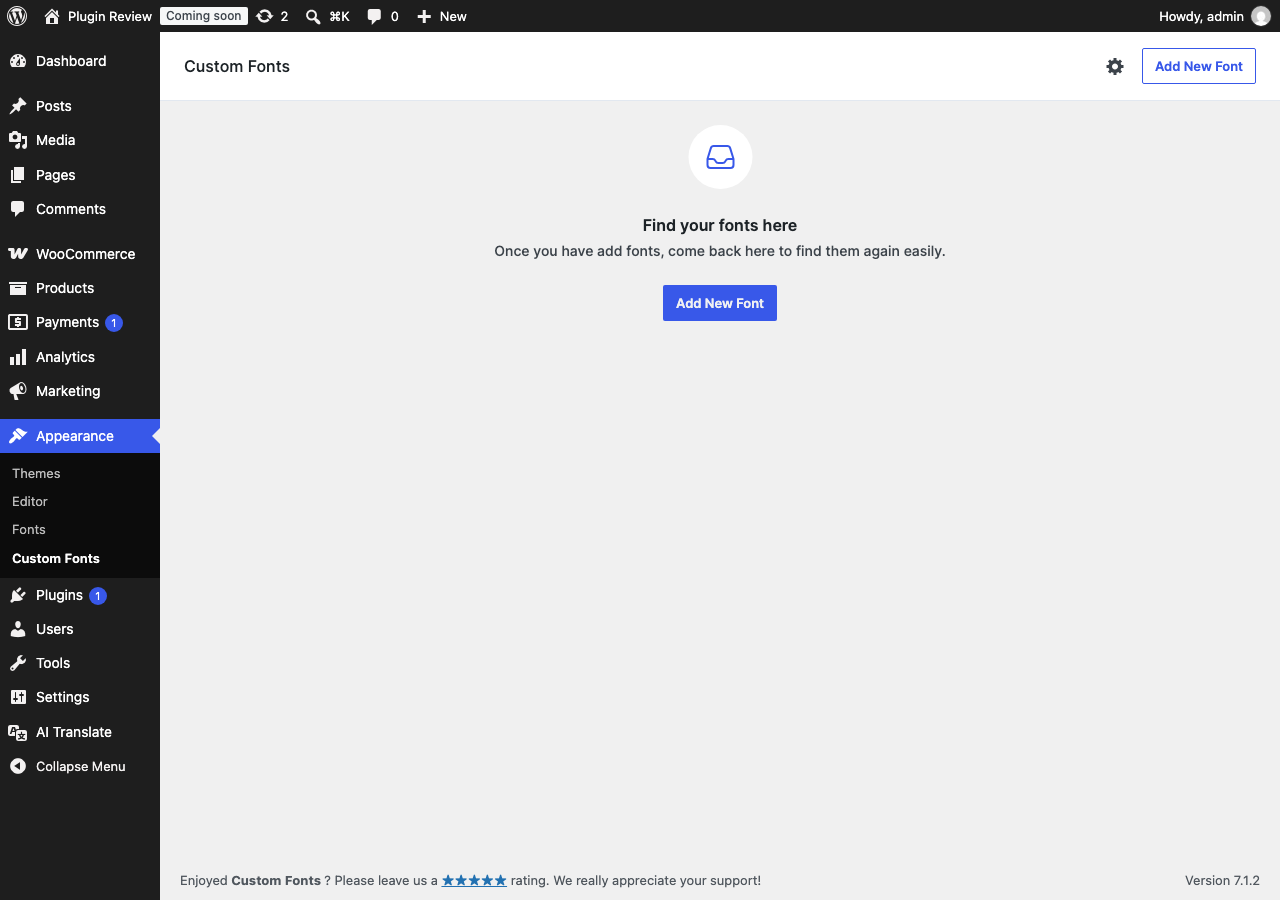
Once activated, you will find a new menu item labeled 'Custom Fonts' in your WordPress admin menu, allowing you to easily start customizing your site's typography.
Admin Panel Before Translation
After installing Custom Fonts – Host Your Fonts Locally, the admin interface is displayed in English by default.
After Translation with Matically AI Translator
With Matically AI Translator, you can translate the Custom Fonts – Host Your Fonts Locally admin panel into your language with just one click. All settings and messages will be displayed in your language, making it much easier to navigate.
Translate Now with Matically AI Translator
Translate Custom Fonts – Host Your Fonts Locally into your language with one click. Try one plugin for free.
View Pricing