Font Awesome
Discover the Power of Icons with Font Awesome
Font Awesome is the go-to plugin for WordPress users looking to enhance their websites with stunning icons. With over 400,000 active installations, it has established itself as a trusted tool for both developers and designers. This plugin allows you to easily integrate Font Awesome Free or Pro icons directly into your WordPress site, providing an extensive library of scalable vector icons that can elevate your content and improve user experience.
Whether you're building a personal blog, a business site, or an online portfolio, Font Awesome offers a versatile solution to incorporate visually appealing icons. The intuitive interface makes it straightforward to add icons to posts, pages, and widgets, ensuring that even those with minimal technical skills can enhance their site's aesthetic with professional-grade icons. The Font Awesome team continuously updates the library, ensuring you have access to the latest icons and features, making it invaluable for anyone looking to stay current in web design trends.
Key Features of Font Awesome
- Access to a vast library of over 7,000 icons, including both Free and Pro versions.
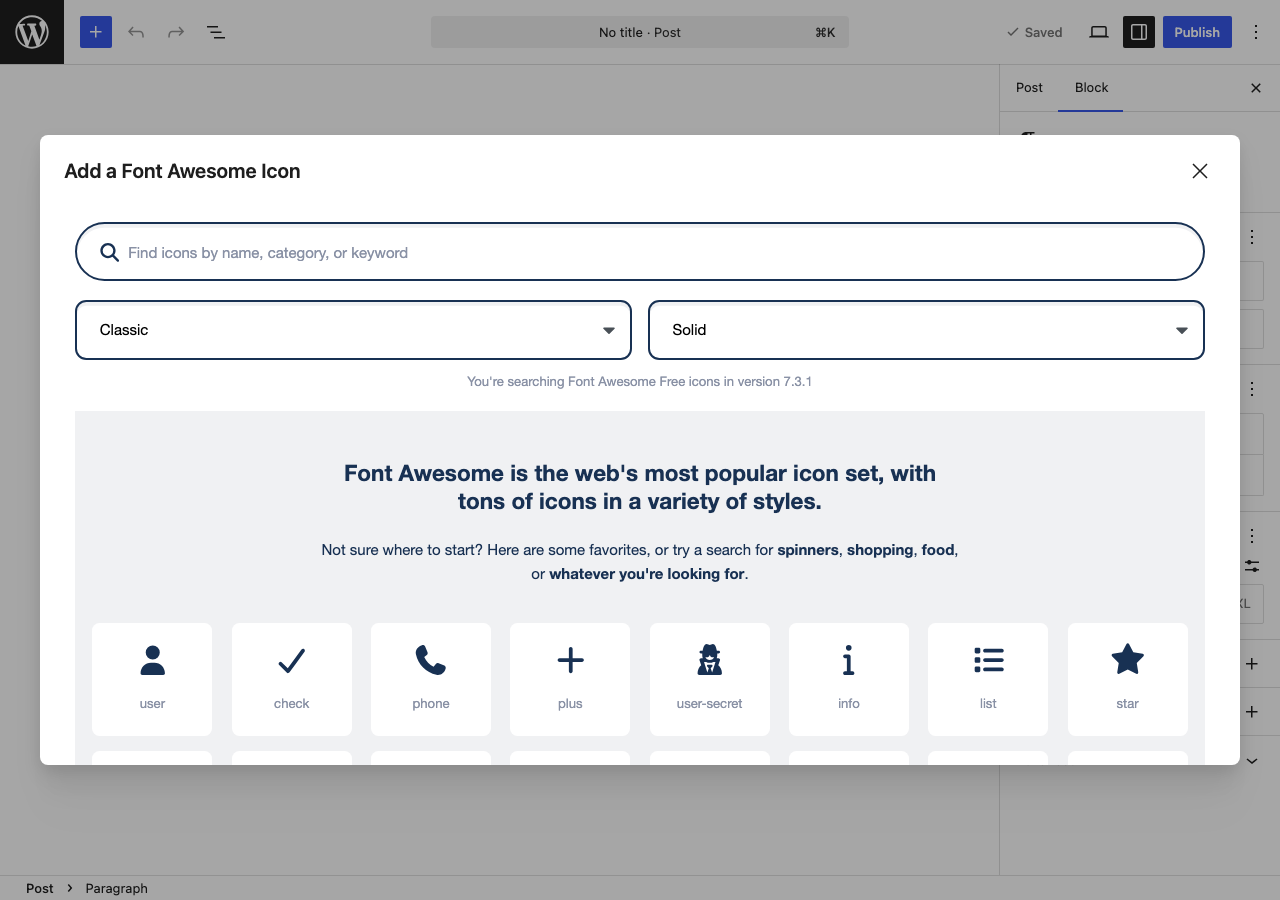
- Easy integration with WordPress, allowing icons to be added directly in posts, pages, and widgets.
- Customization options for size, color, and animation to fit your design needs.
- Compatibility with popular page builders, making it seamless to use icons in your layouts.
- Regular updates from the Font Awesome team to ensure the latest icons and features are available.
- Supports SVG and web font options for optimal performance and scalability.
How to Install Font Awesome
To install the Font Awesome plugin, follow these simple steps:
- Go to your WordPress admin area.
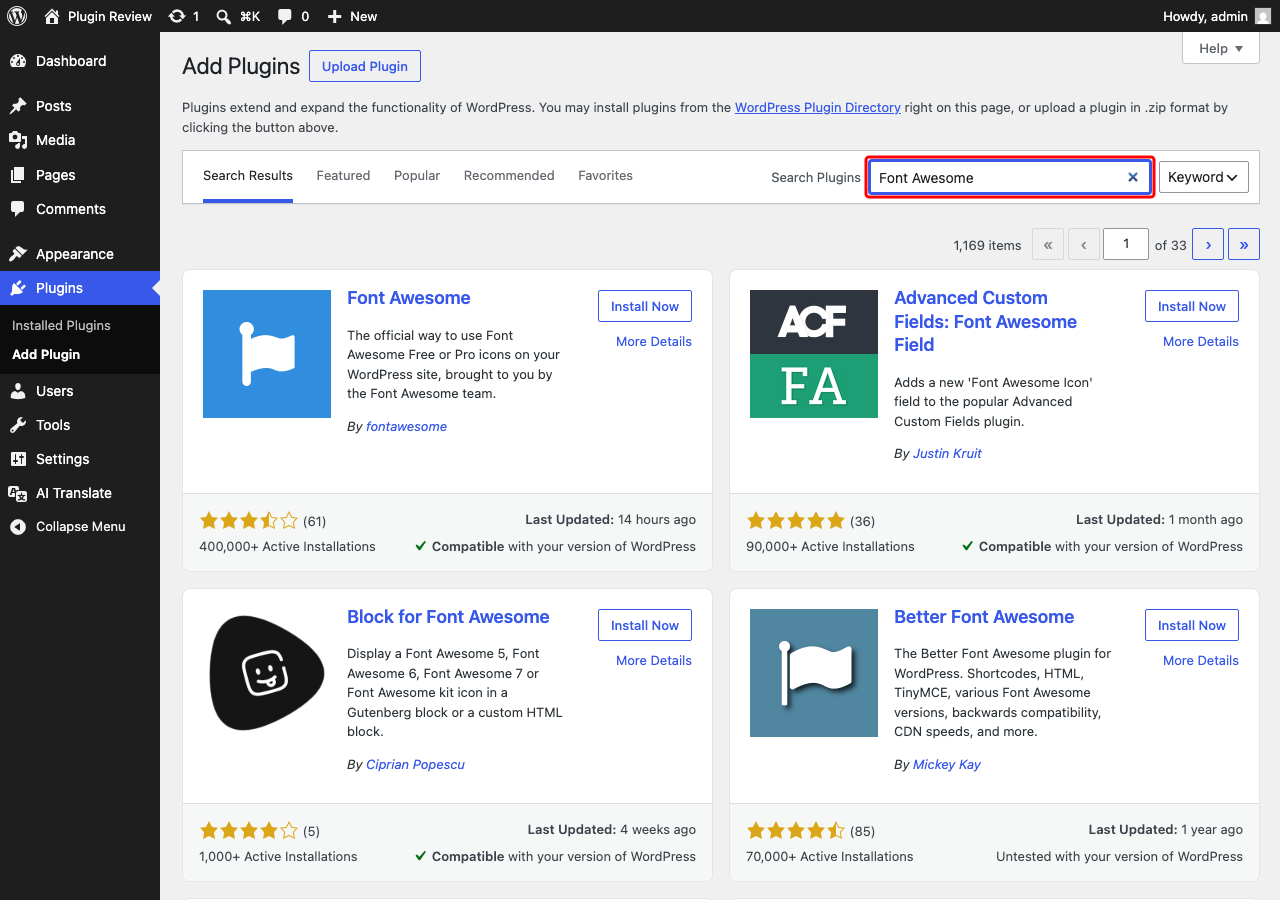
- Navigate to Plugins → Add New.
- In the search bar, type 'Font Awesome'.
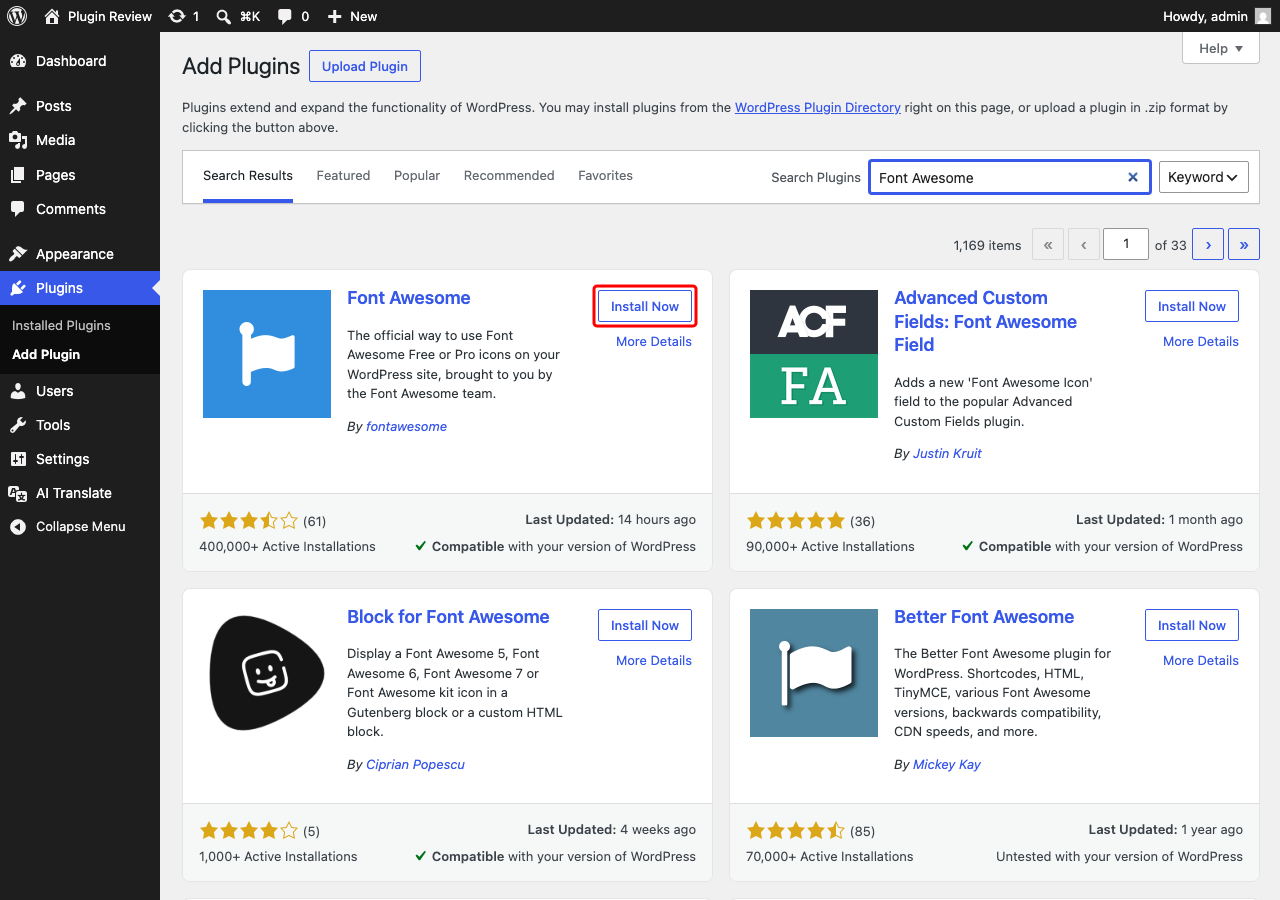
- Click 'Install' on the Font Awesome plugin listing.
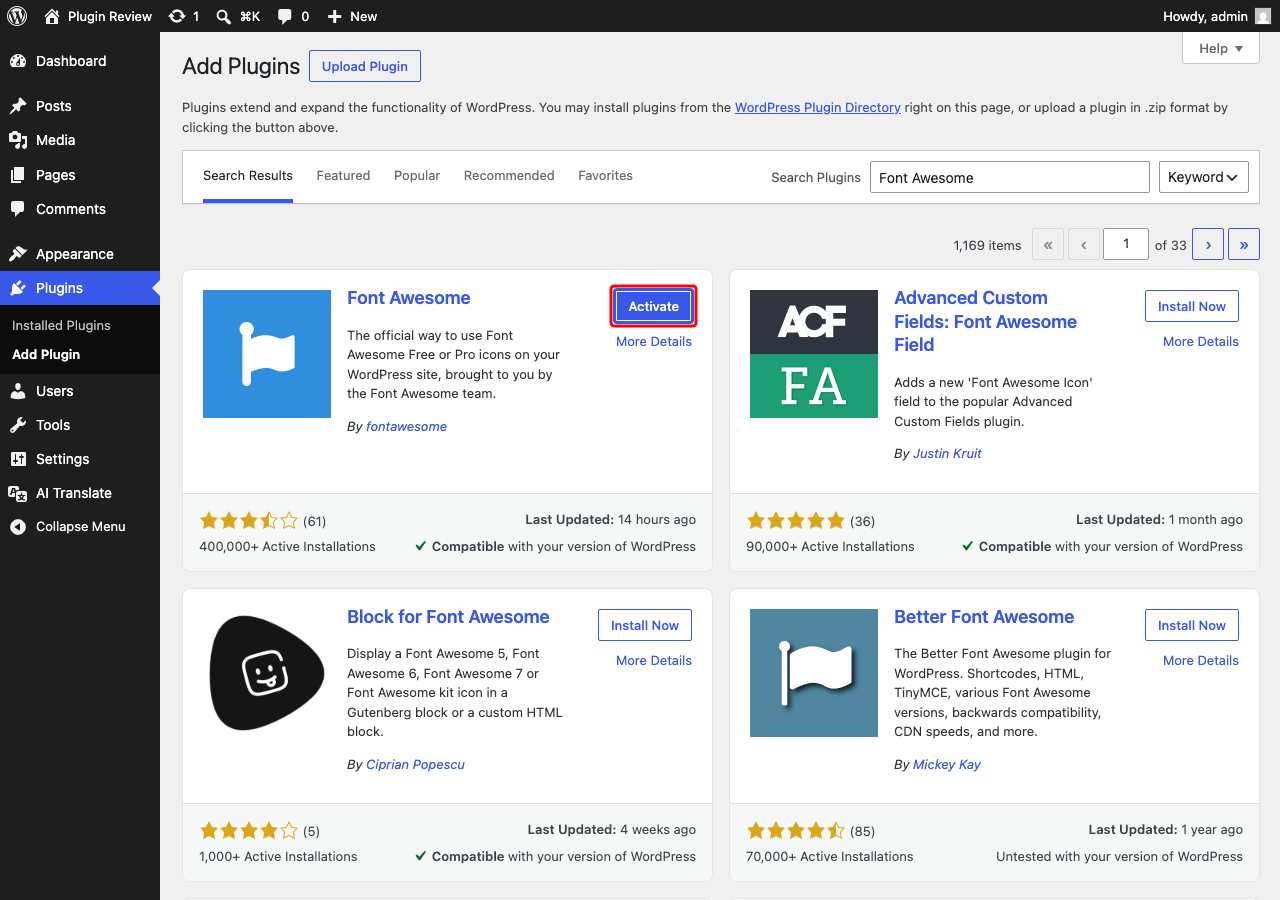
- After installation, click 'Activate'.
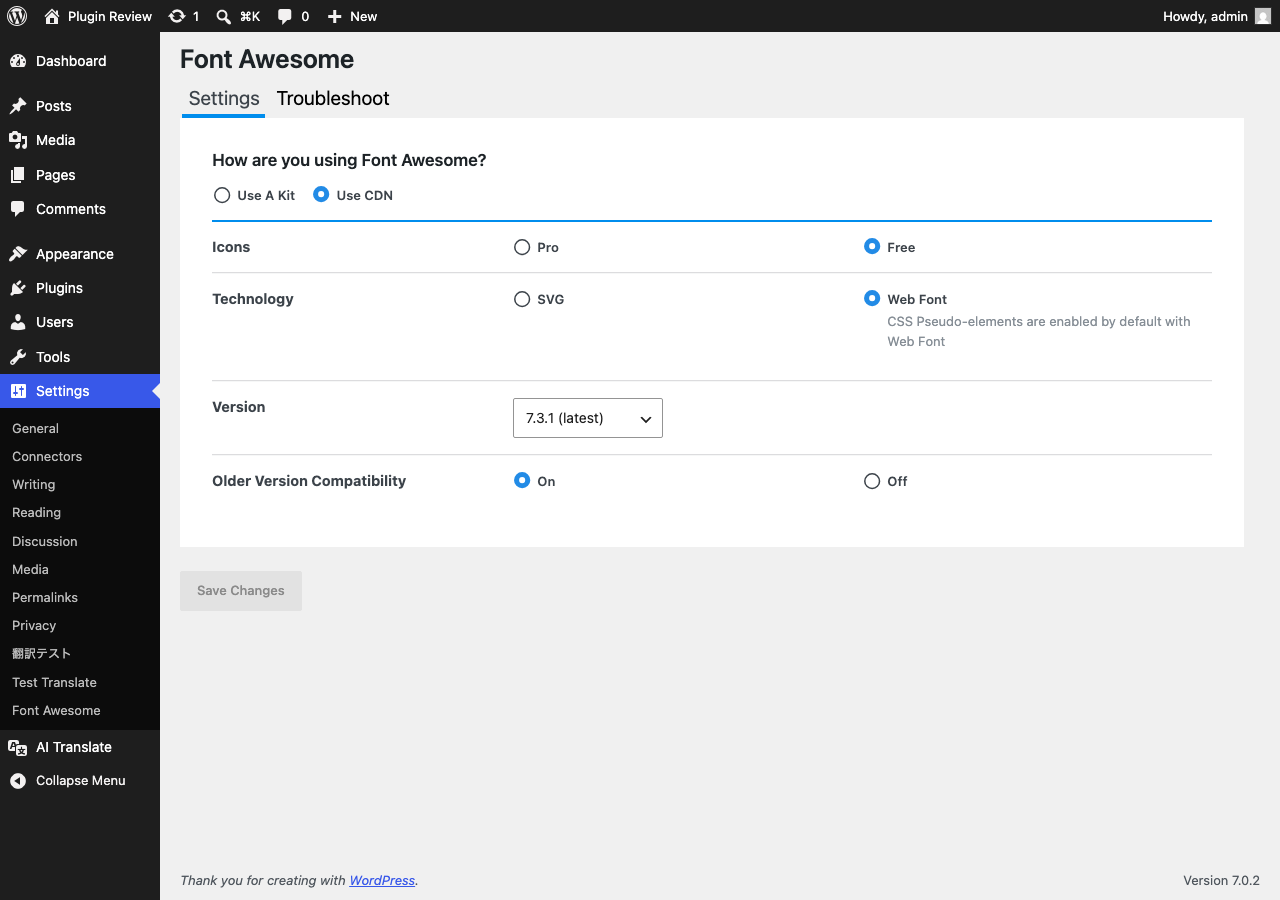
Once activated, you will find the Font Awesome options in the admin menu, allowing you to start using icons immediately.
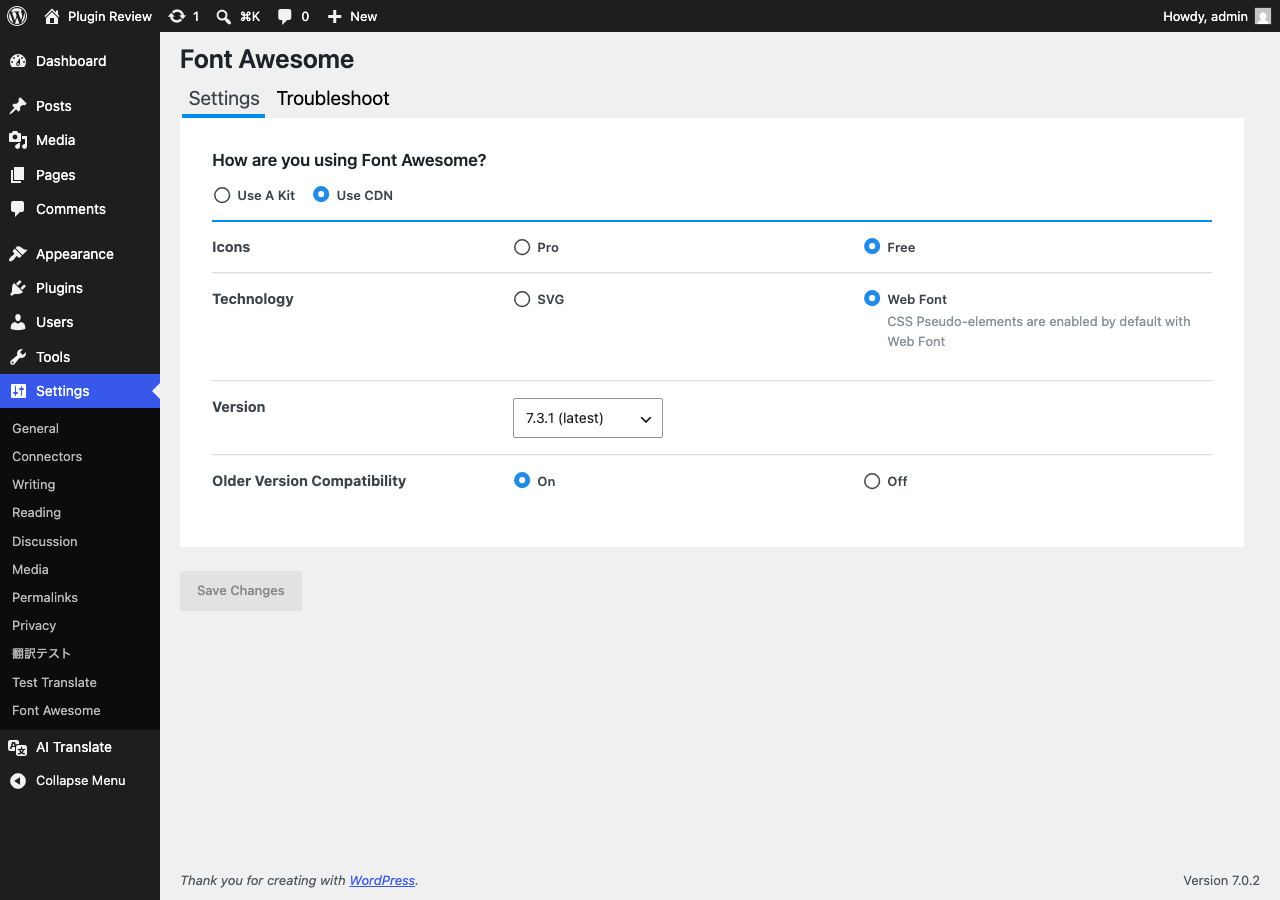
Admin Panel Before Translation
After installing Font Awesome, the admin interface is displayed in English by default.
After Translation with Matically AI Translator
With Matically AI Translator, you can translate the Font Awesome admin panel into your language with just one click. All settings and messages will be displayed in your language, making it much easier to navigate.
Translate Now with Matically AI Translator
Translate Font Awesome into your language with one click. Try one plugin for free.
View Pricing