Header Footer Code Manager
Streamline Your Tracking Code Management with Header Footer Code Manager
With over 600,000 active installs, the Header Footer Code Manager plugin is an essential tool for WordPress site owners looking to seamlessly integrate tracking code snippets, conversion pixels, and third-party scripts. Whether you’re running analytics, marketing campaigns, or chat features, this plugin provides a user-friendly interface to manage your scripts without the need for coding knowledge or direct file edits.
This plugin caters to both beginners and advanced users, allowing you to add code snippets directly to the header or footer of your site with ease. Its versatility means you can enhance your website's functionality and gain valuable insights into your audience's behavior, making it an invaluable asset for anyone serious about optimizing their online presence.
Key Features
- Easy Code Integration: Insert tracking codes into your website's header or footer without modifying theme files.
- User-Friendly Interface: Simple and intuitive setup process suitable for all skill levels.
- Conditional Logic: Control where and when your scripts load based on specific conditions, enhancing performance.
- Multiple Snippet Management: Add and manage multiple snippets efficiently from a single dashboard.
- Shortcode Support: Utilize shortcodes for dynamic content insertion, making it even easier to manage scripts across your site.
- No Coding Required: Perfect for users who want to implement tracking codes without delving into PHP or HTML.
Installation Instructions
To install the Header Footer Code Manager plugin, follow these simple steps:
- Go to your WordPress admin panel.
- Navigate to Plugins → Add New.
- In the search bar, type "Header Footer Code Manager".
- Click Install next to the plugin in the search results.
- Once installed, click Activate.
After activation, you will find a new menu item called "Header Footer Code Manager" in your admin dashboard, where you can start adding your code snippets.
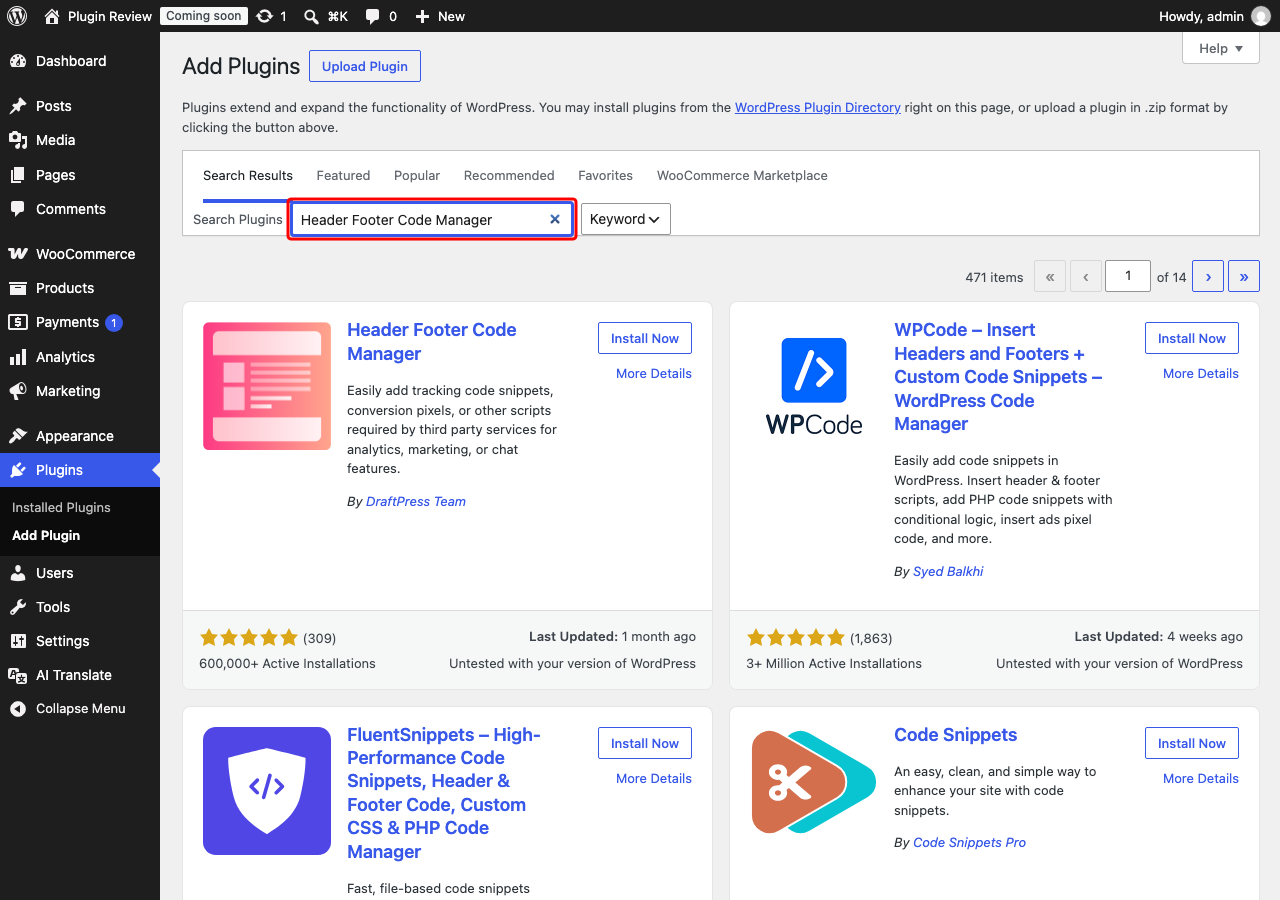
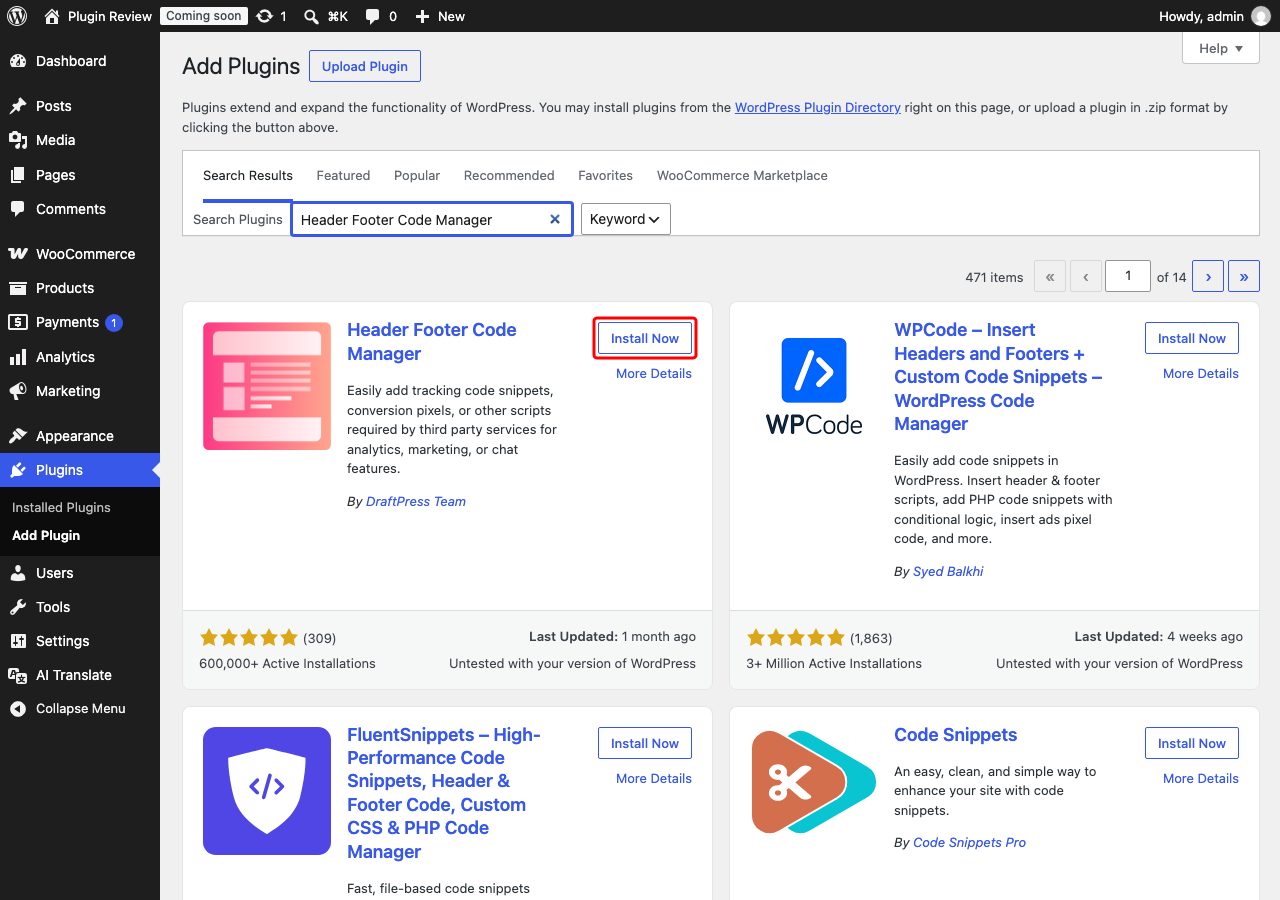
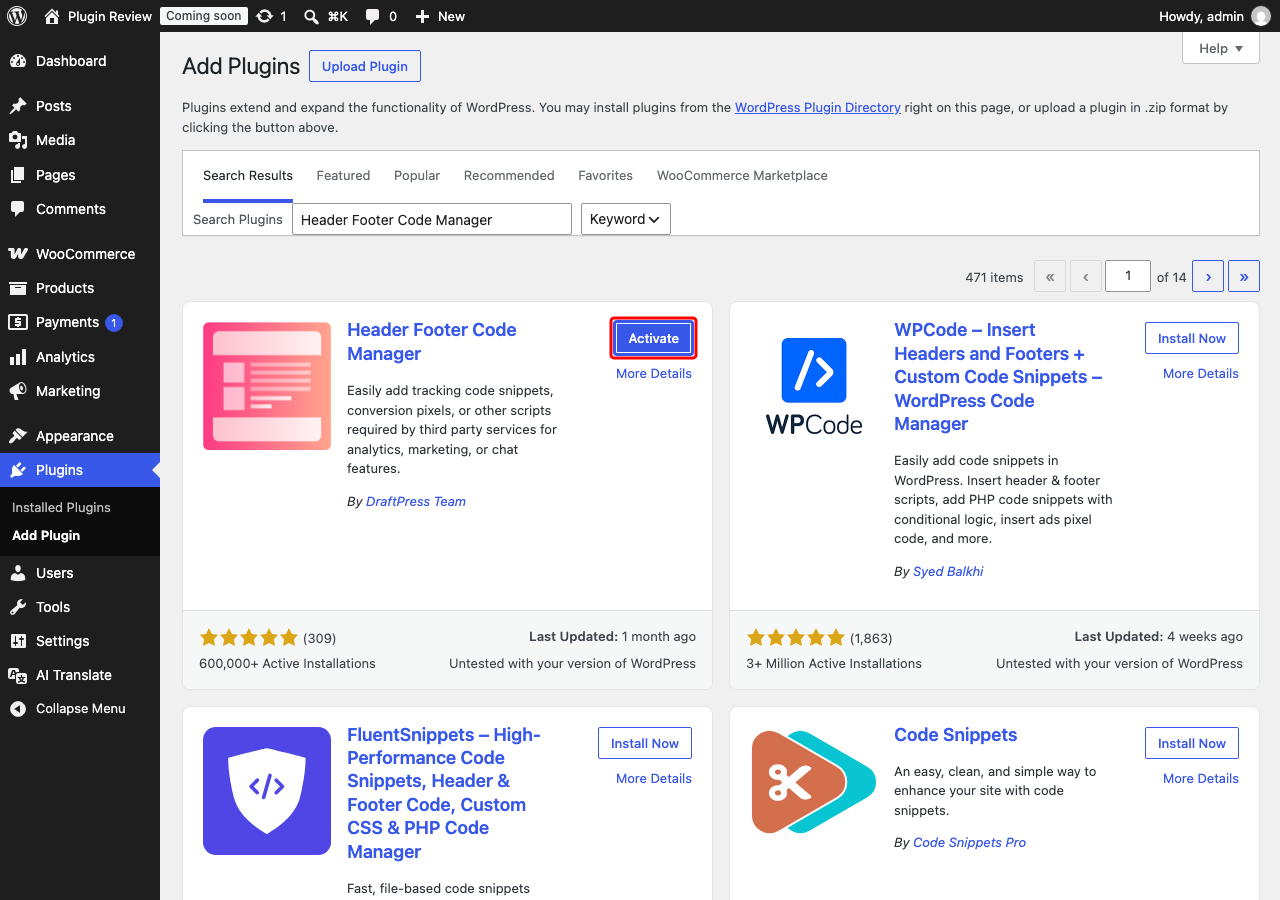
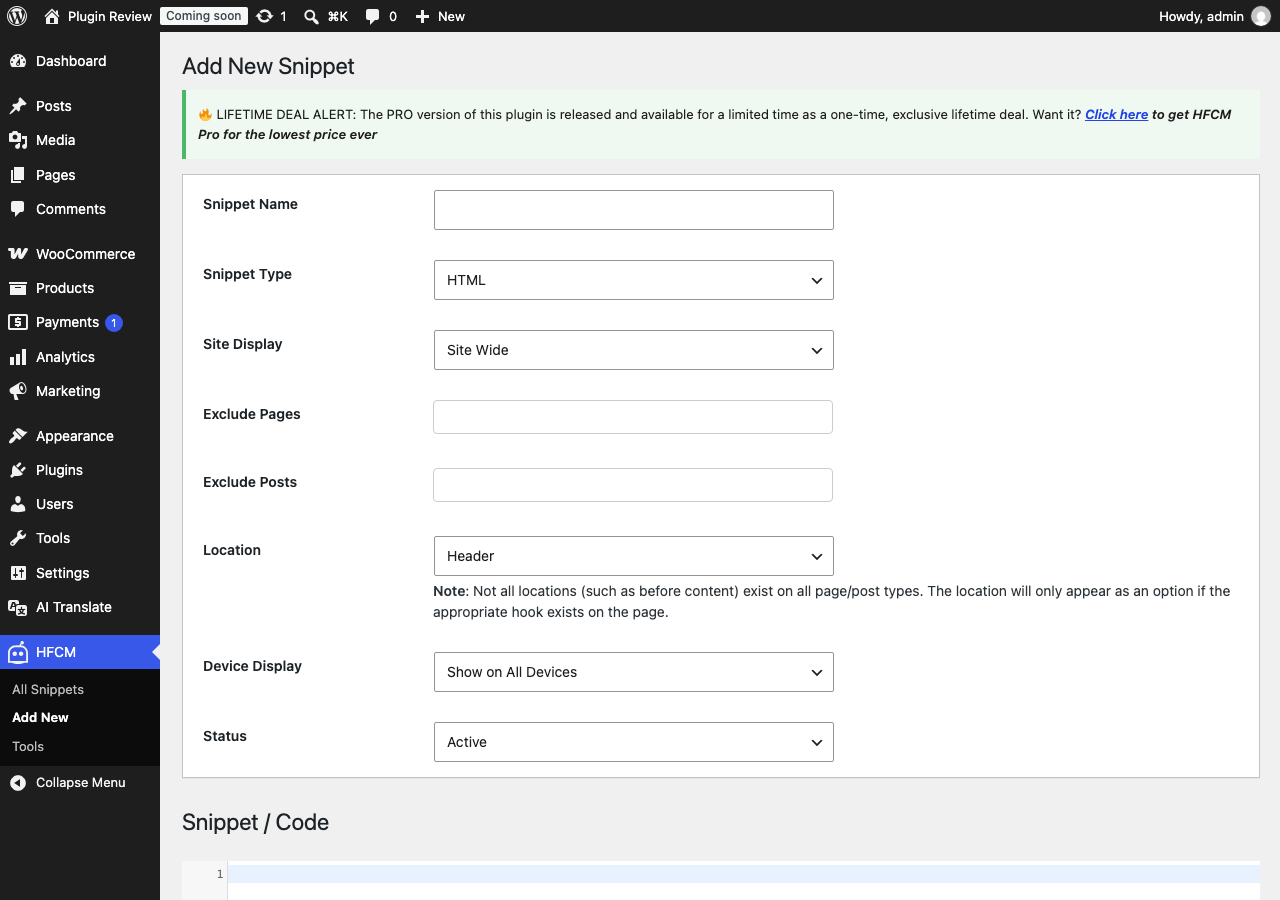
Admin Panel Before Translation
After installing Header Footer Code Manager, the admin interface is displayed in English by default.
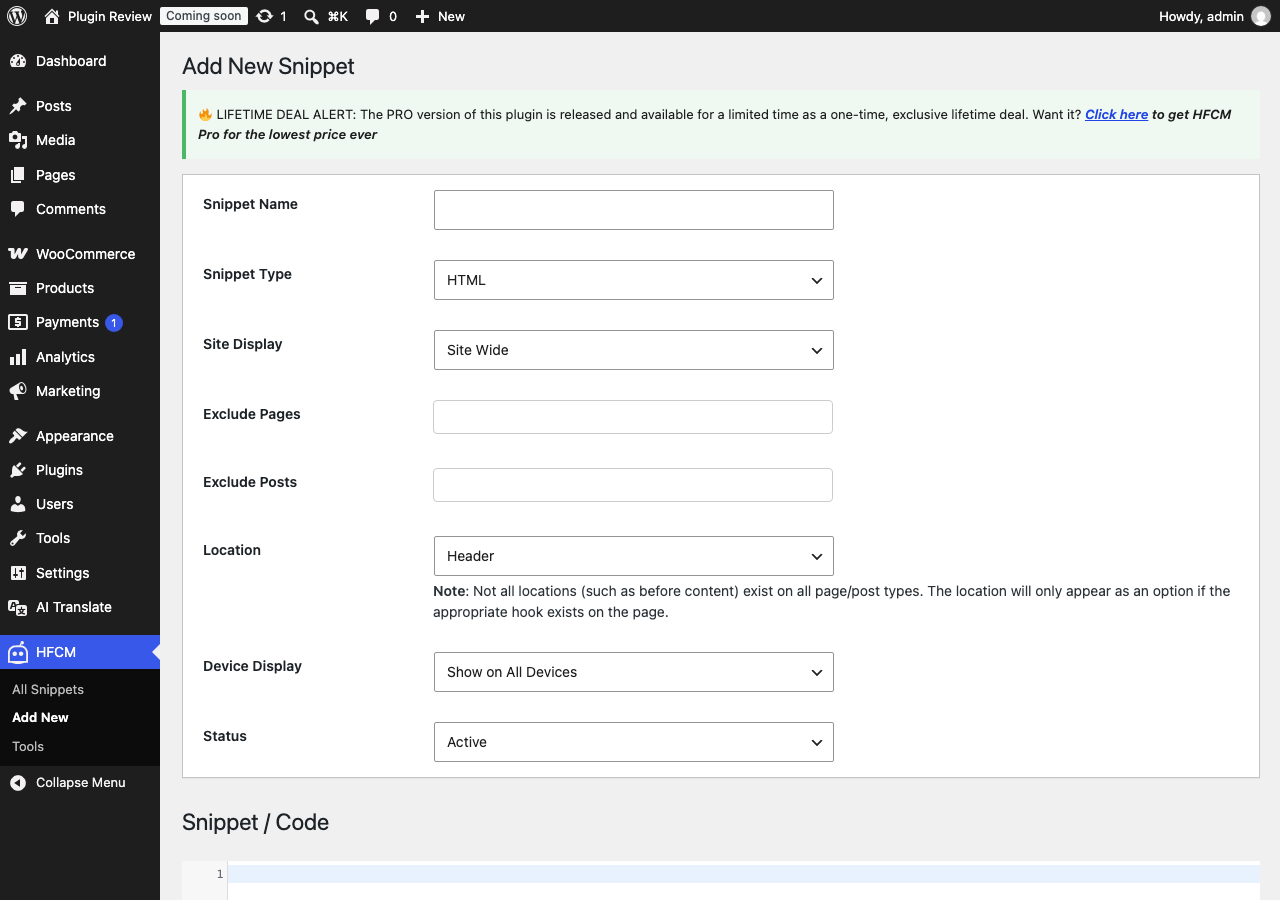
After Translation with Matically AI Translator
With Matically AI Translator, you can translate the Header Footer Code Manager admin panel into your language with just one click. All settings and messages will be displayed in your language, making it much easier to navigate.
Translate Now with Matically AI Translator
Translate Header Footer Code Manager into your language with one click. Try one plugin for free.
View Pricing